The problem
At close, the till, the card slips and the bookings never quite agree.
Prices are on a laminated sheet and the tax rate is taped to the counter. Cards go through a separate terminal, and refunds go in a notebook. Every evening someone checks it all against everything else, and the totals are a little off.
How it works — on screen
 Click to enlarge
Swipe · tap for full screen
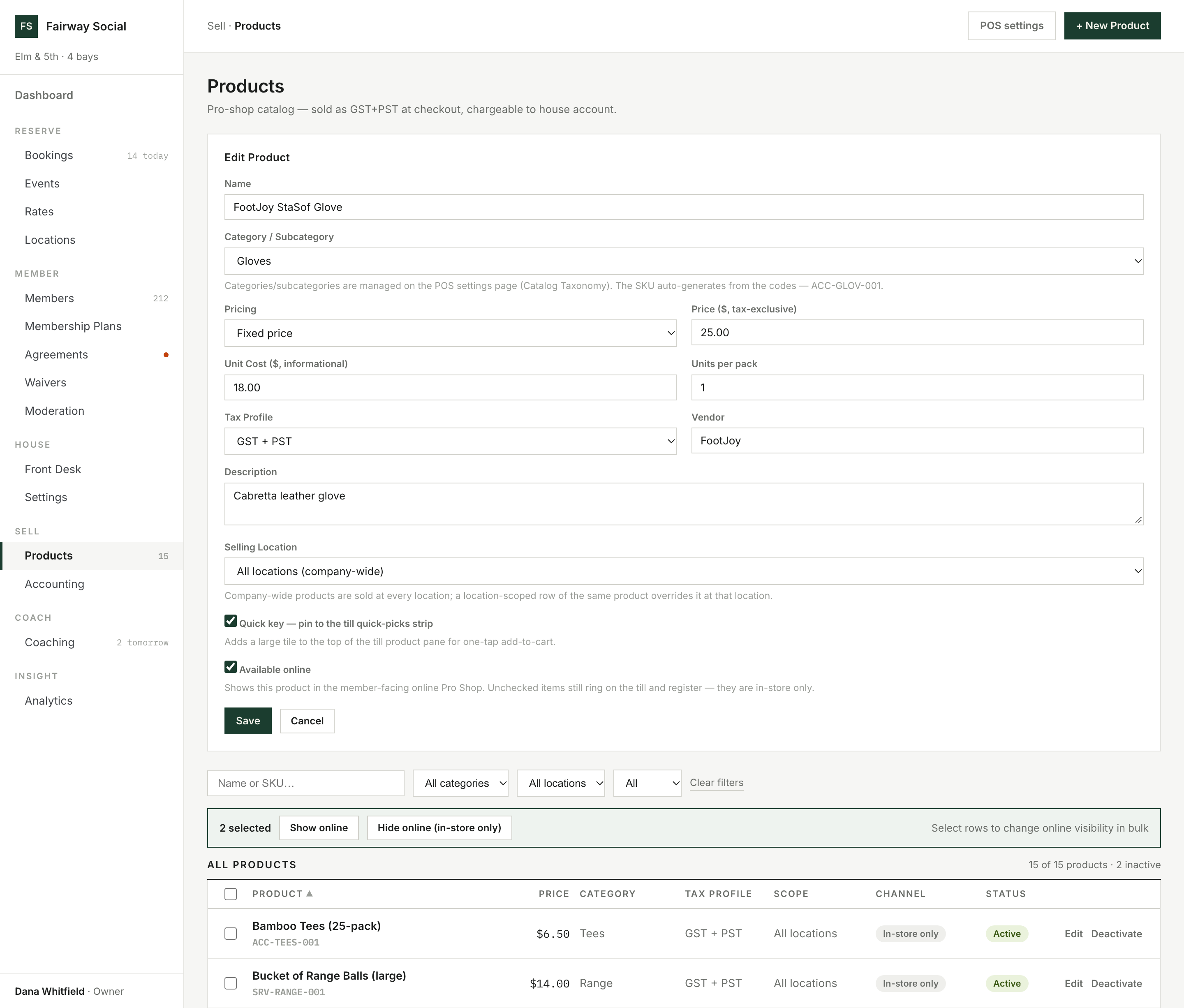
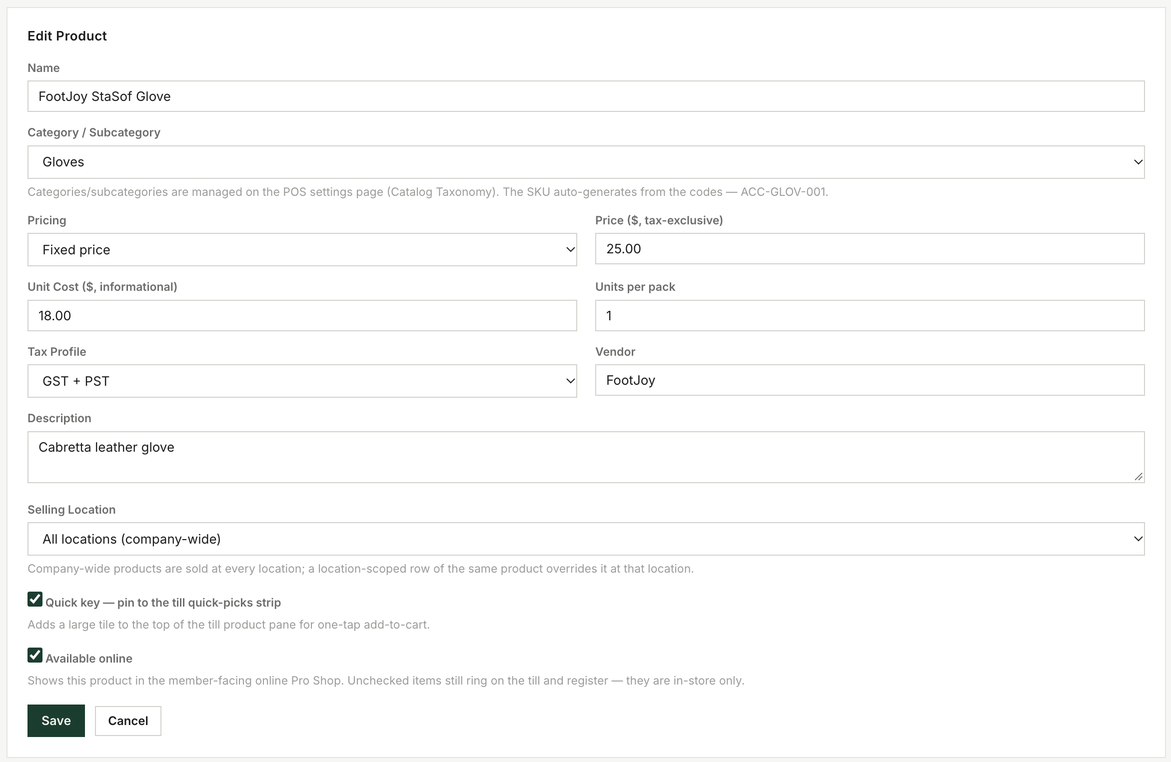
$25.00 plus a GST + PST profile. The till adds the tax; nobody types it.
One price list, with the tax added for you.
Set up the taxes you charge, whatever they are: GST, PST, HST, VAT or a local levy. Each has its own rate and dates, and can be added on top of the price or already inside it. Each location charges the taxes you choose for it.
Each product has a tax class, so food, shop items and bay time can be taxed differently, and one class can be exempt. At checkout the till works out the tax line by line and keeps the breakdown with the sale.
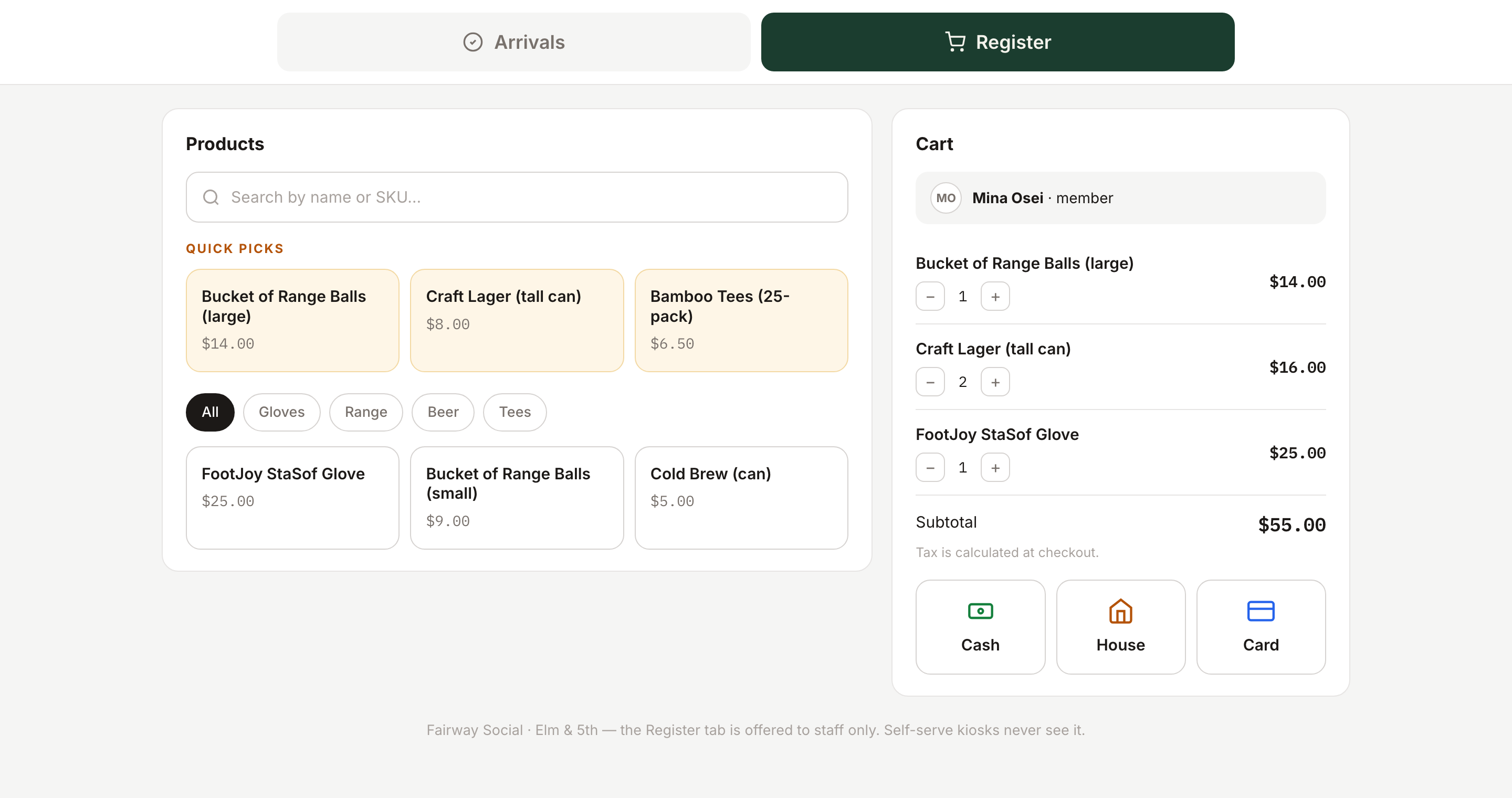
Mark a product as a quick key and it appears under Quick picks at the top of the till. Sell it at every location or at just one.
What happens when a tax rate changes?
Each sale keeps the tax it was charged at the time. Add the new rate with its dates and past sales stay as they were.
 Click to enlarge
Swipe · tap for full screen
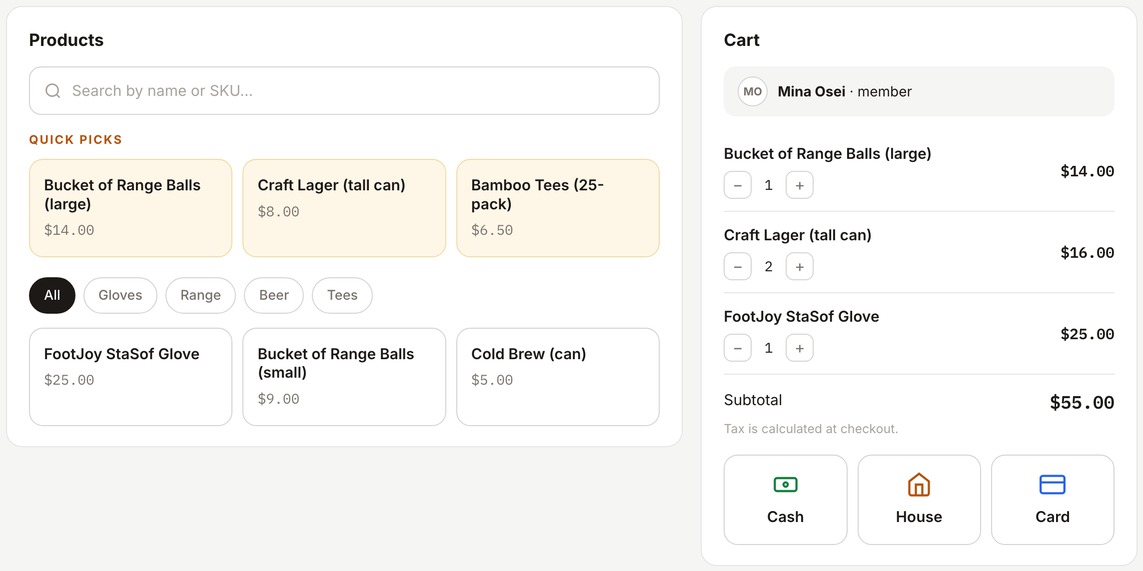
Cash, House or Card: one cart, and the same books underneath.
Cash, house account or card. One cart.
Cash and house-account sales complete straight away. A card sale shows as awaiting payment in the sales log and stays out of your books until your payment provider confirms it. Revenue is recorded when the money is taken, not when the cart was rung.
If a member changes their mind before paying, a manager can void the sale, or you can switch it to cash, house account or another card payment without ringing it up again.
How does a refund work?
Pick the lines and quantities to return, never more than was sold. A card refund goes back to the card, a house-account refund credits the member's balance, and a cash refund is recorded against the sale.
 Click to enlarge
Swipe · tap for full screen
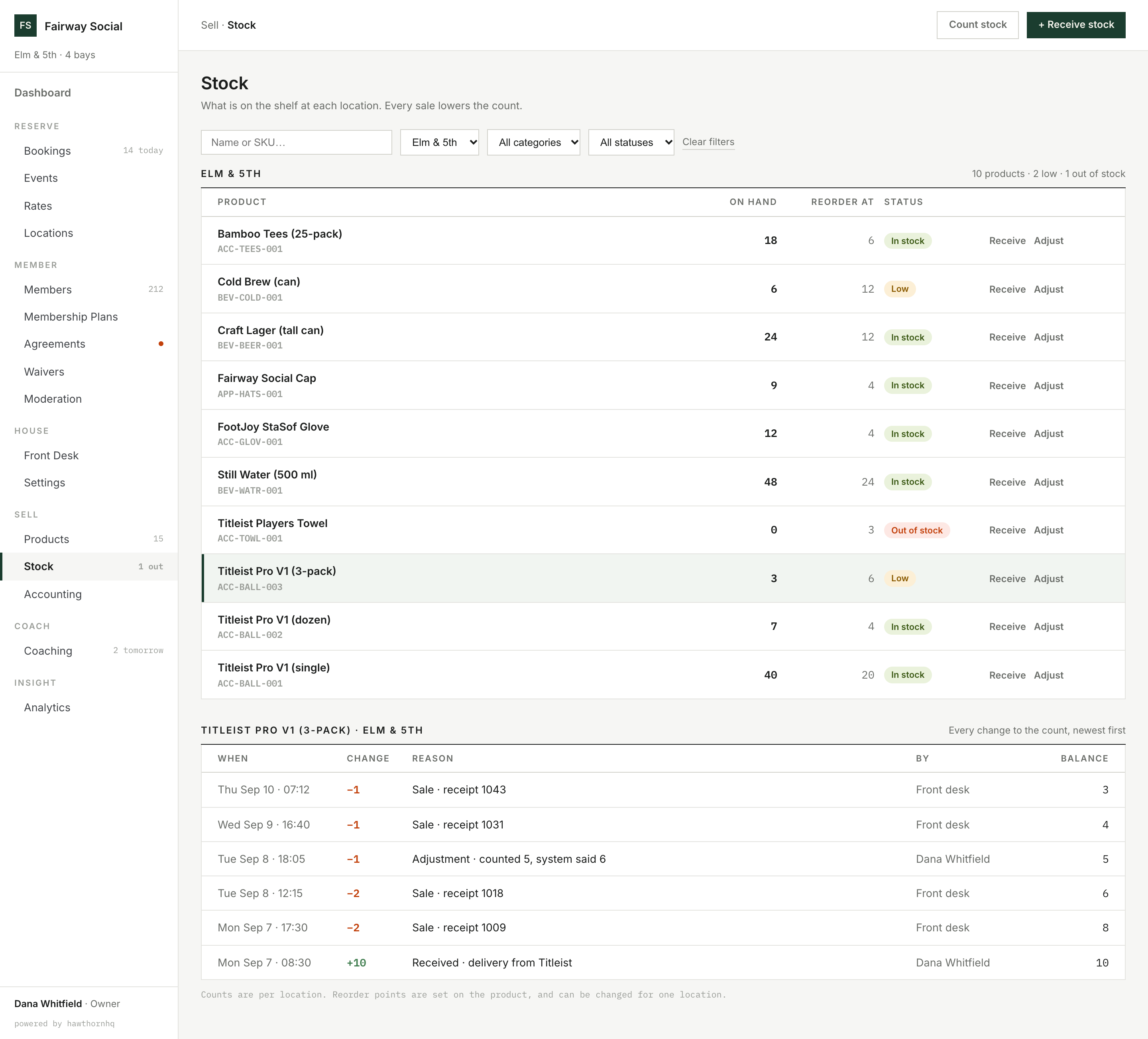
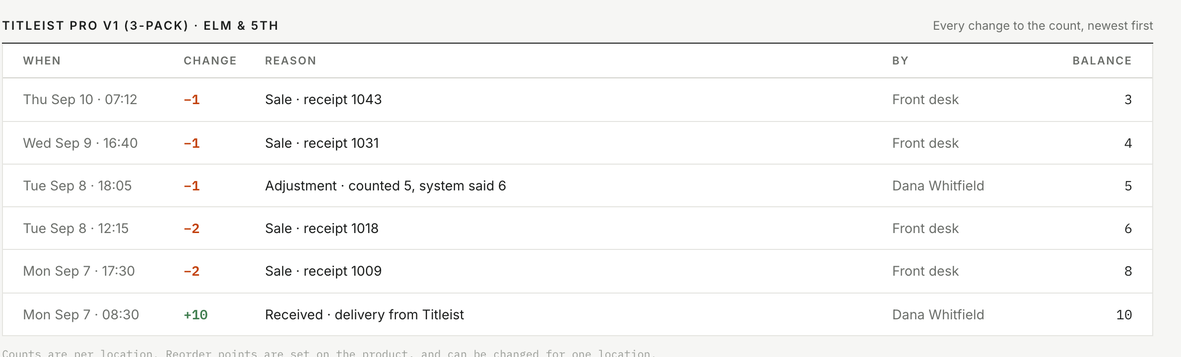
Three left, reorder at six: flagged Low. Every change to the count is listed.
A stock count for every location.
Each location keeps its own count for each product. A sale lowers the count as part of the sale itself, once, so the number is right as soon as the cart is paid.
Set a reorder point for each product, and change it for a location that sells more or less. A product is out of stock at zero, and flagged when it runs low.
Why does the count say 3 and not 5?
Every change is on a list: sales, deliveries received and adjustments, each with a reason and who made it.
 Click to enlarge
Swipe · tap for full screen
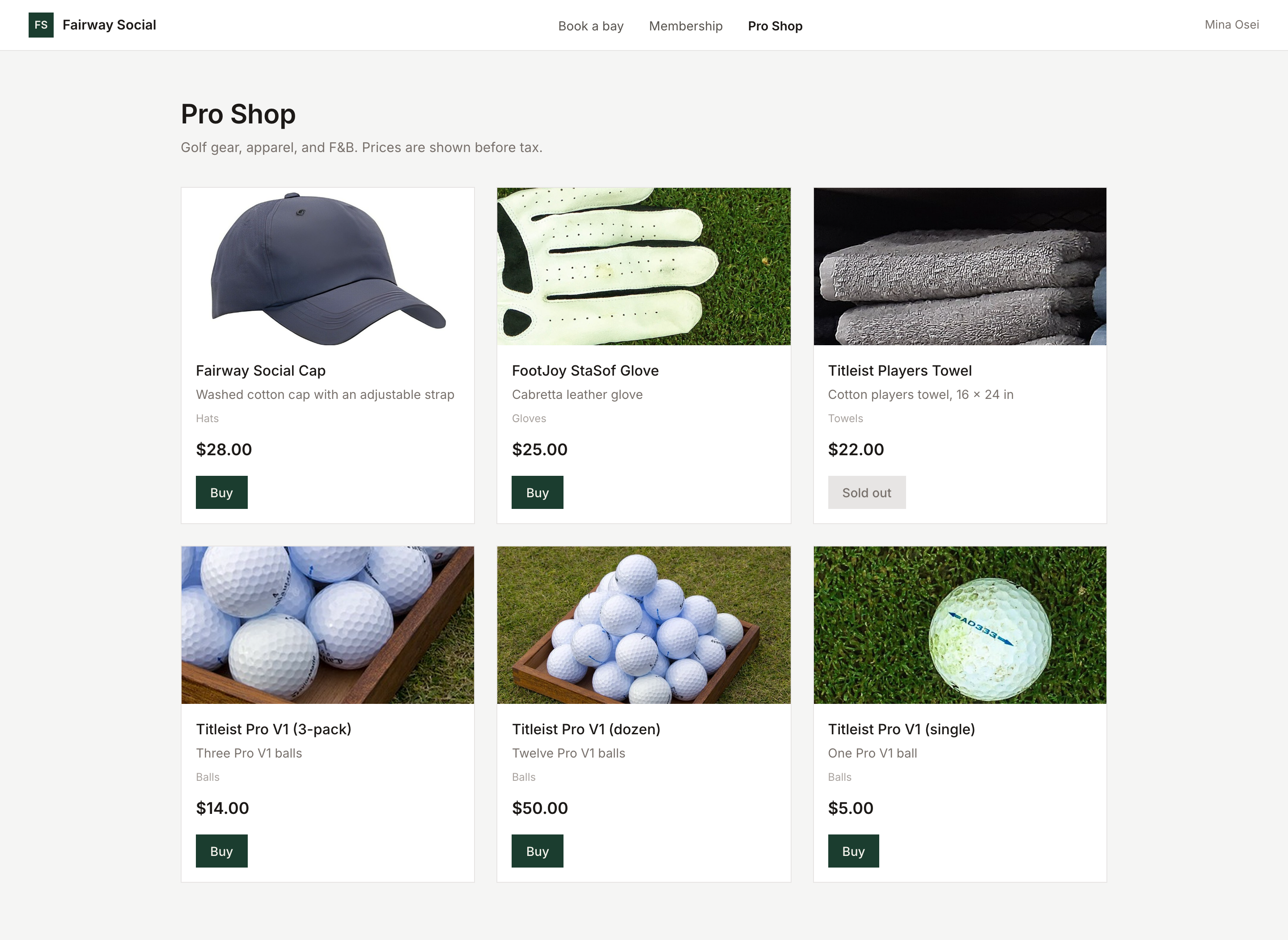
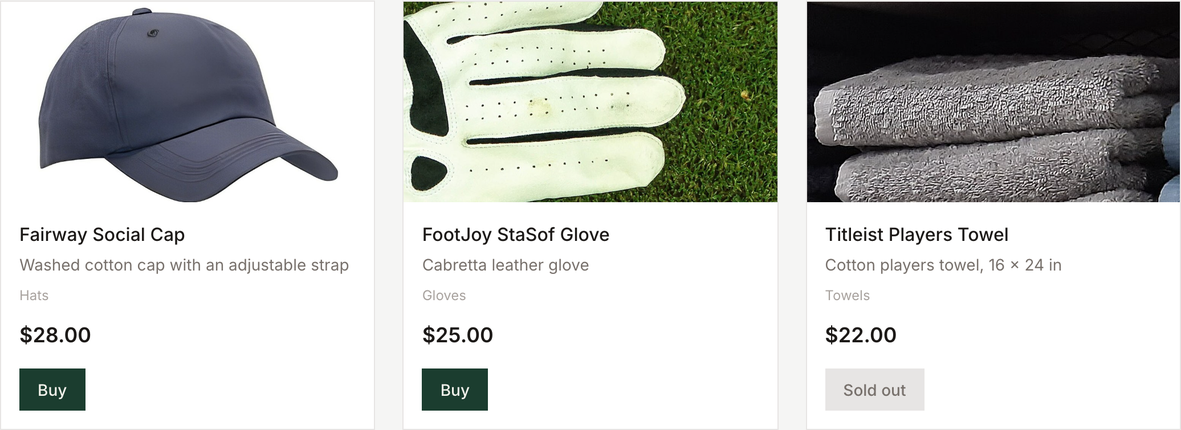
Sold out stays on the page. There is no Buy button to press.
Members can buy from the shop online.
The online pro shop uses the same price list, the same tax and the same checkout as the till. You choose which products appear online.
What does a member see when a product sells out?
The product stays in the shop, marked as sold out, with no Buy button.
 Click to enlarge
Swipe · tap for full screen
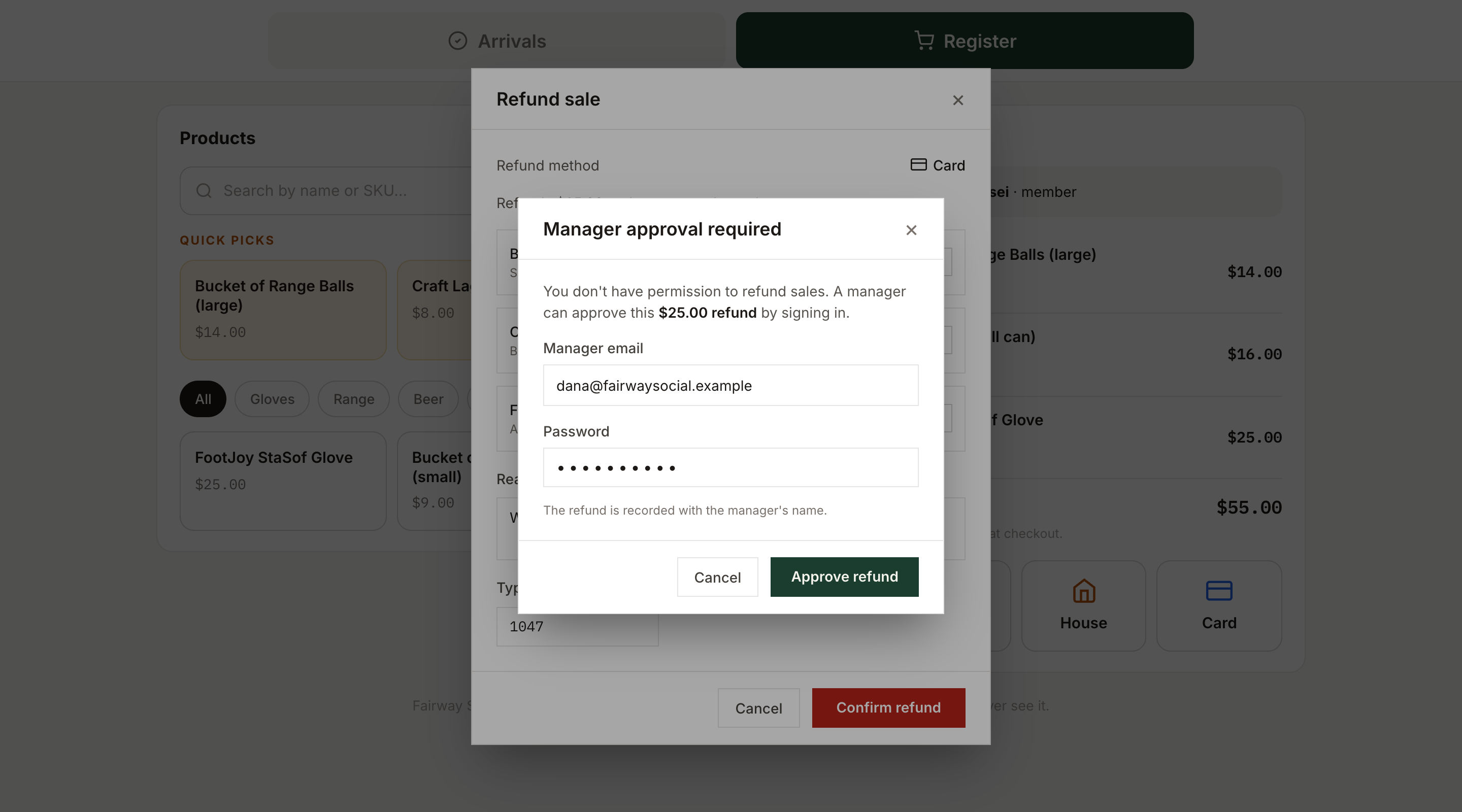
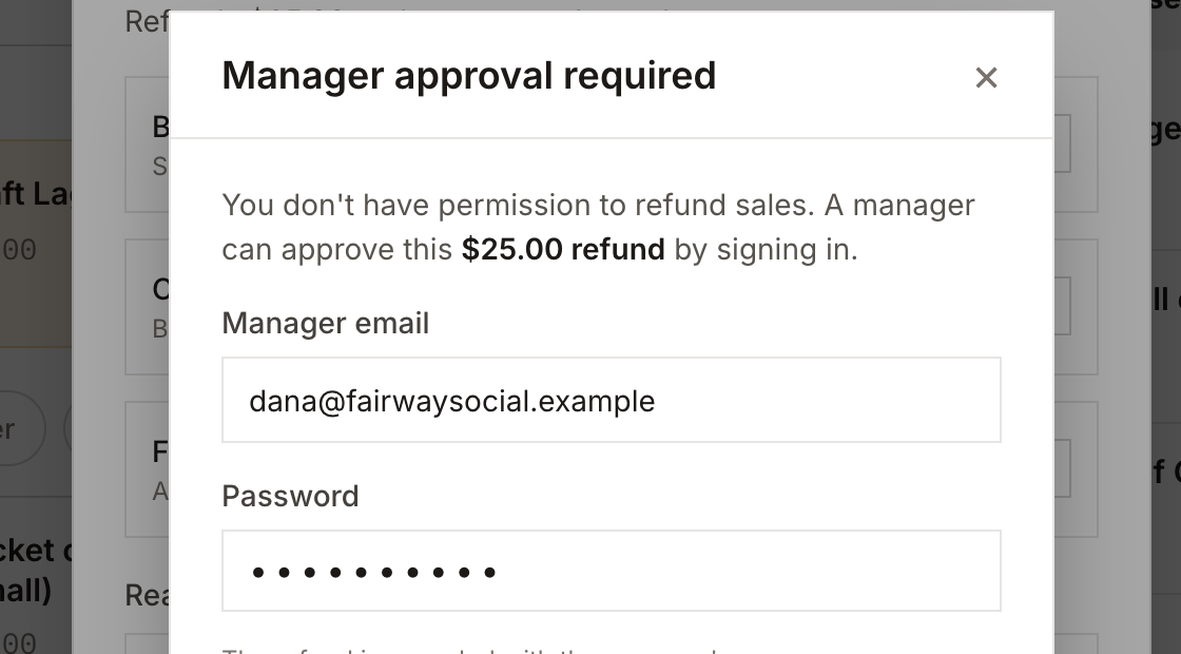
No refund permission? A manager signs in at the till to approve it.
Refunds need a manager's approval.
Staff without the refund permission can start a refund, but a manager has to enter their login at the till to approve it. Voiding an unpaid sale has its own permission.
To refund, staff pick the lines and quantities, give a reason, and type the sale's receipt number. Every refund is recorded with who made it, who approved it, which sale, the lines, the quantities and the amounts.
What if someone without permission tries to refund?
A manager has to enter their login on the spot. Until they do, nothing is refunded.
What goes away
The laminated price list and the refund notebook.
- The pro-shop price list one price list
- The tax table taped to the counter tax added line by line
- The paper sales pad one cart, one record
- The separate card terminal slip card on the same sale
- The torn-up receipt and the retyped order void, or switch the payment type
- The refund notebook refunds by line, recorded
- The stock count on a clipboard a count per location, lowered by every sale
- A cash count on the back of a receipt a counted drawer, closed against expected cash
Nearby
Sell is one verb of six.
Straight answer
What selling doesn't do yet.
Gift cards and stored value. Not available. There's no way to sell or redeem them yet.
Promo and discount codes. Not available. Price windows change the rate for everyone; there's no code for a single customer.
Add-ons at booking. The shop is a counter price list. Members can't add items when they book a bay.
One card reader provider. Card payments at the counter work with one reader provider today. Others aren't available yet.