The problem
The renewal spreadsheet always has someone's name missing.
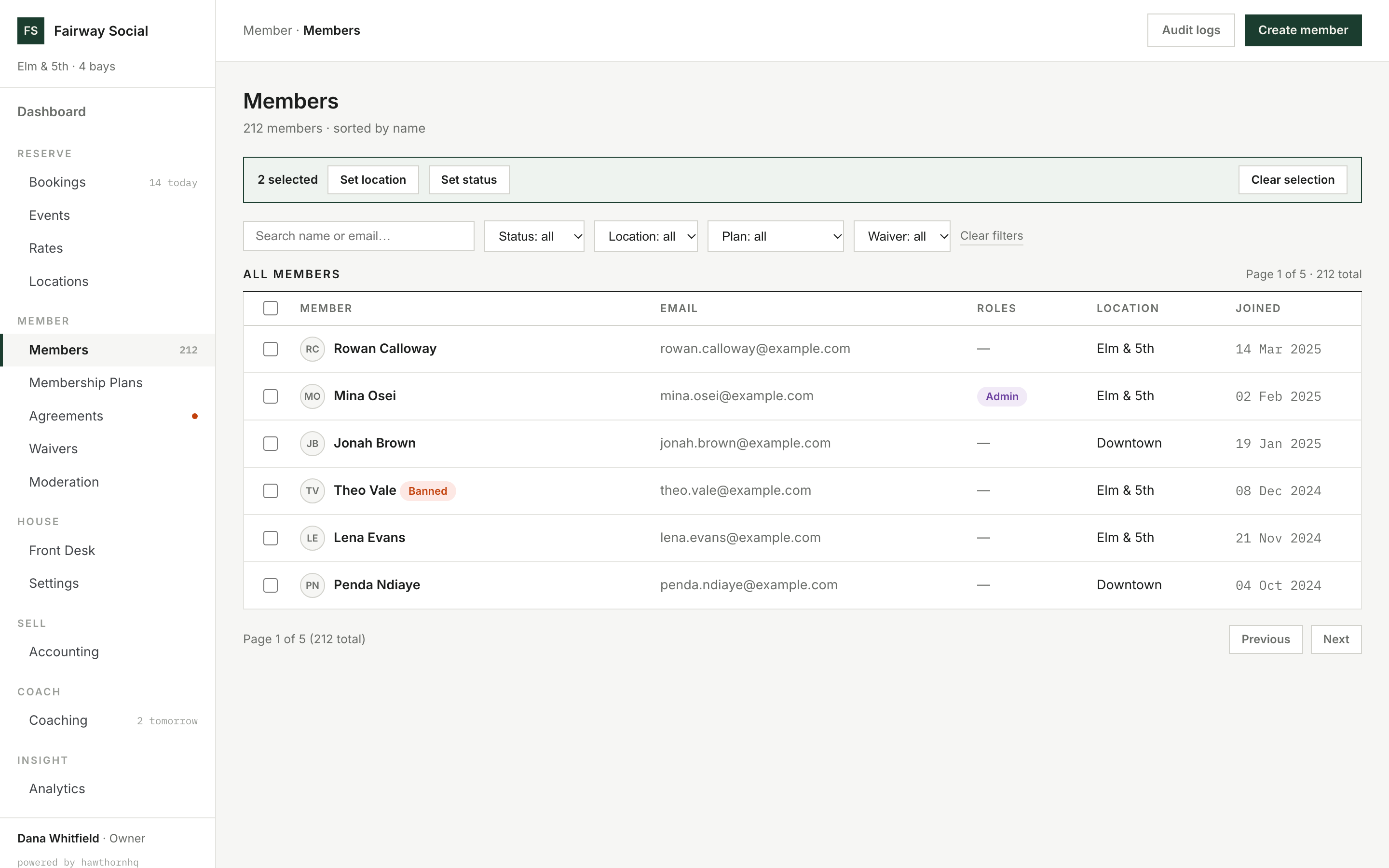
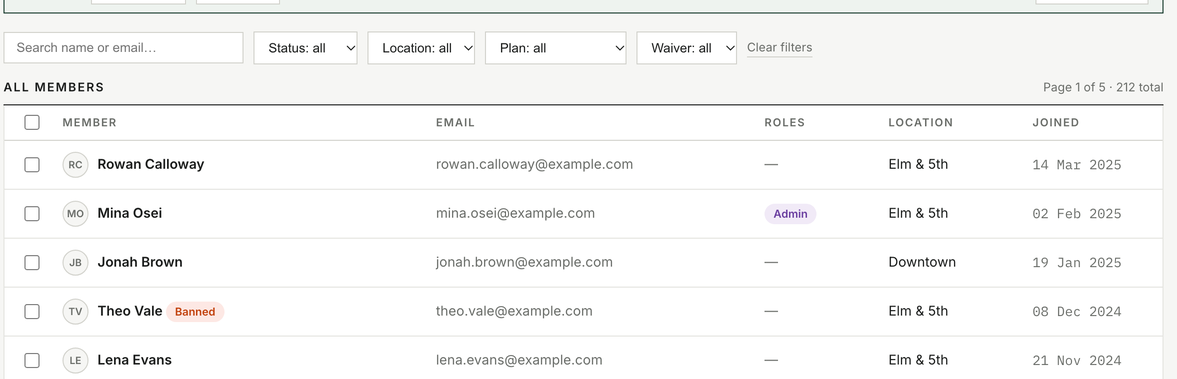
April renewals go unnoticed. A member arrives for their Thursday booking with an expired waiver. House accounts need reconciling at month end. Signed agreements end up in a filing cabinet, or somewhere nobody can find them.
Each problem is small on its own. Every miss becomes an awkward conversation at the front desk.
How it works
 Click to enlarge
Swipe · tap for full screen
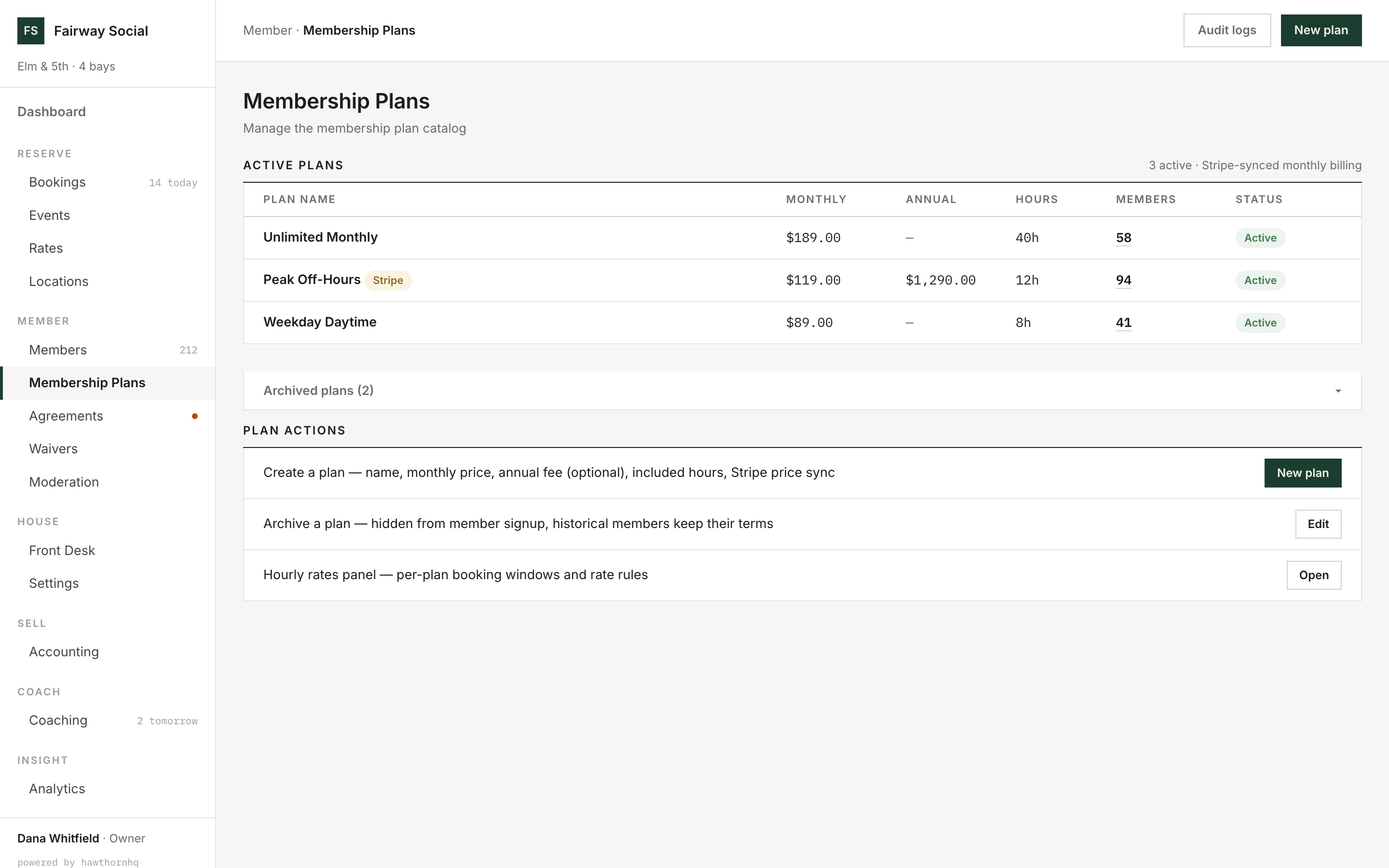
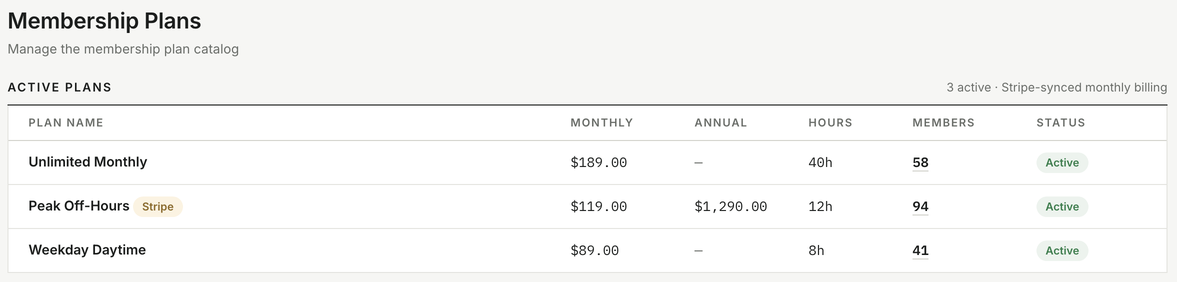
$119/mo or $1,290/yr: monthly or annual billing on the same plan.
Renewals happen on their own.
Each plan defines its price, billing schedule, included hours and booking window. When a plan renews automatically, the next payment is charged to the member's saved payment method at the end of the term.
Plan prices sync with your payment processor, so the amount charged matches the price you've set. Cancellation follows the plan's own policy: none, at the end of the term, or immediate with the agreed fee. A member gets the same answer at the desk as the system gives.
What happens when a membership comes up for renewal?
The next payment is charged to the member's saved card at the end of the term, and they're reminded beforehand.
 Click to enlarge
Swipe · tap for full screen
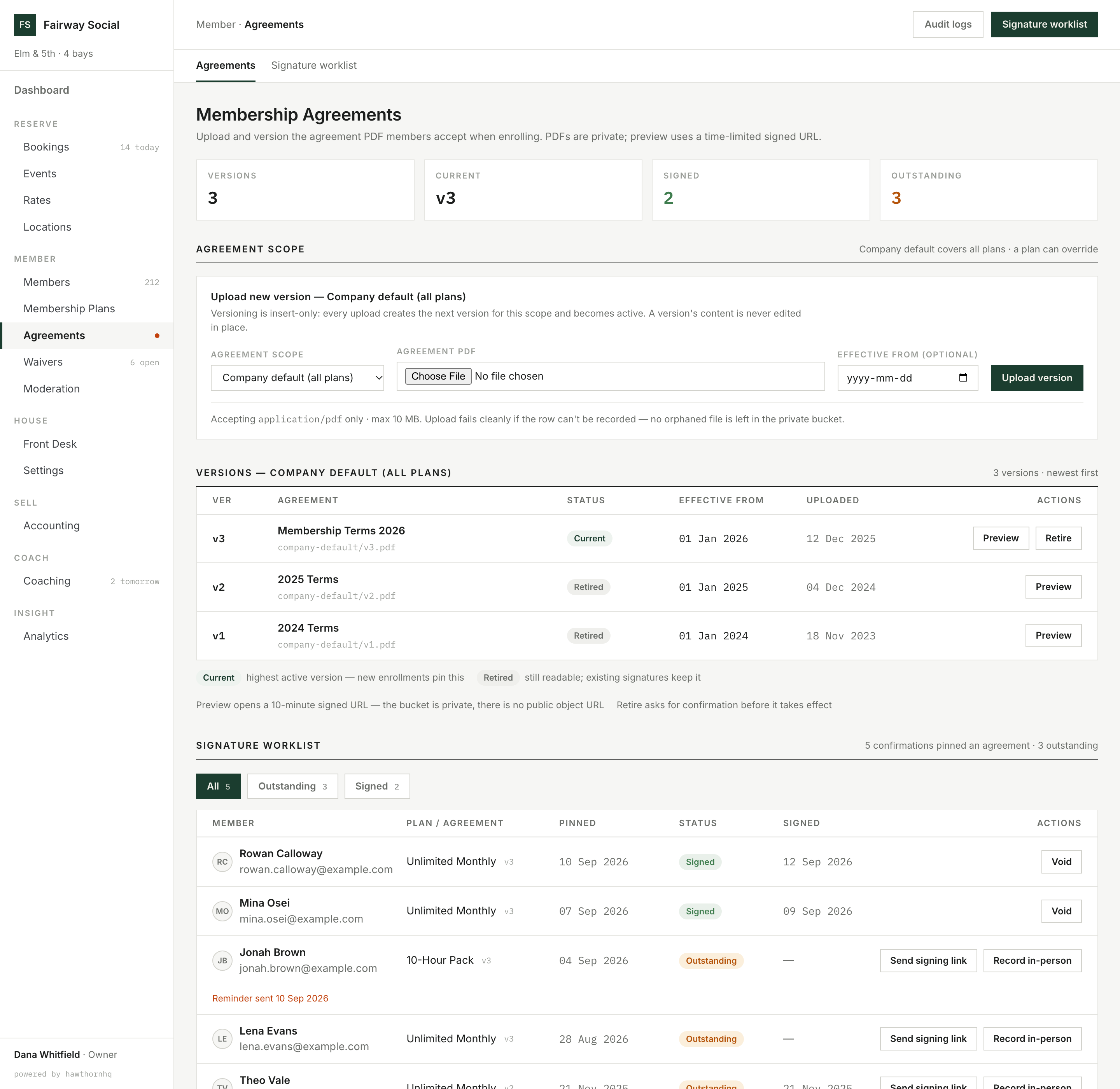
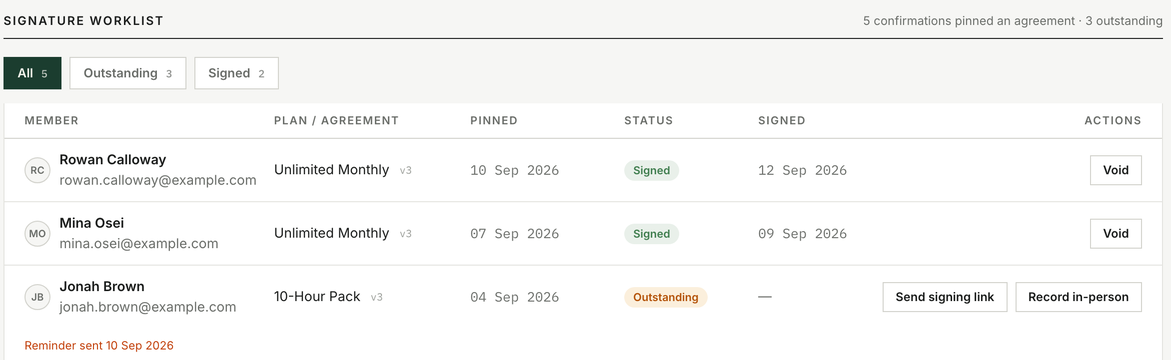
"Outstanding · Reminder sent 10 Sep": who still owes a signature, and when they were last reminded.
Membership agreements, tracked from sent to signed.
Each membership agreement has a version history and a record of who has signed which version. Members sign through an emailed link or at the front desk, and staff send reminders from the worklist, which records when each one went out.
Has every member signed the current membership agreement?
One list shows who has signed, which version, and who is still outstanding.
 Click to enlarge
Swipe · tap for full screen
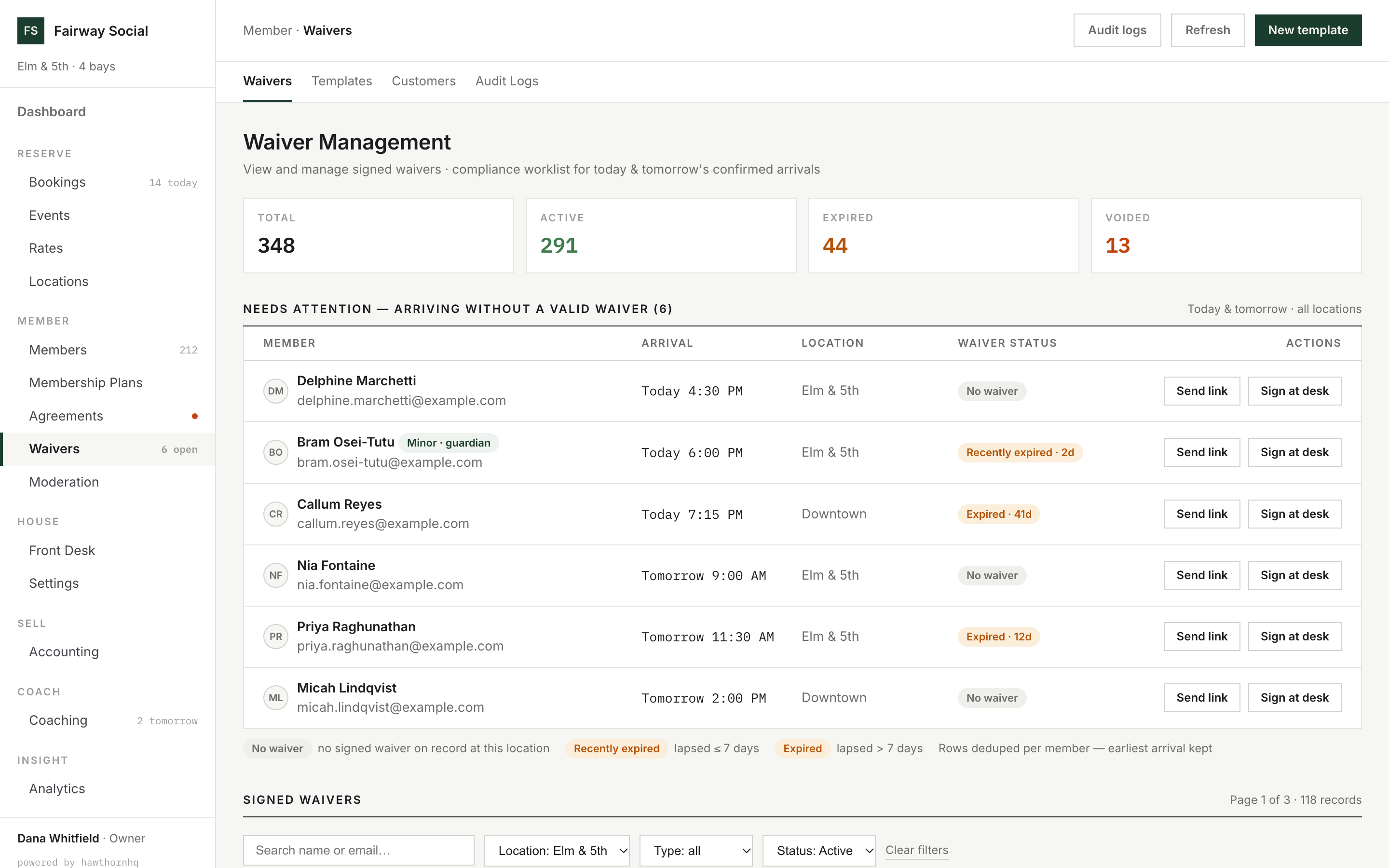
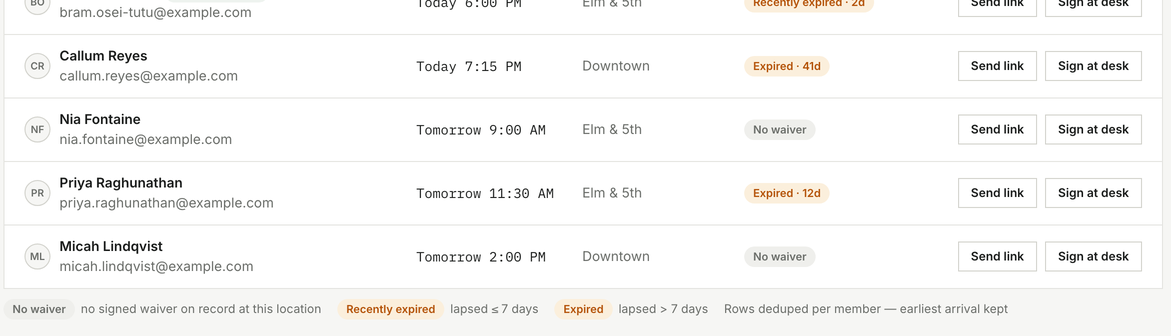
Six arrivals without a valid waiver, each with a one-click fix.
Know who's covered before they arrive.
A waiver is separate from the membership agreement. It's tracked for each member at each location, and it expires. The daily worklist flags arrivals without a valid one, so staff can email a signing link or have them sign at the desk.
Has everyone arriving today signed a waiver?
One list shows every arrival without a valid waiver, missing or expired, before you open.
 Click to enlarge
Swipe · tap for full screen
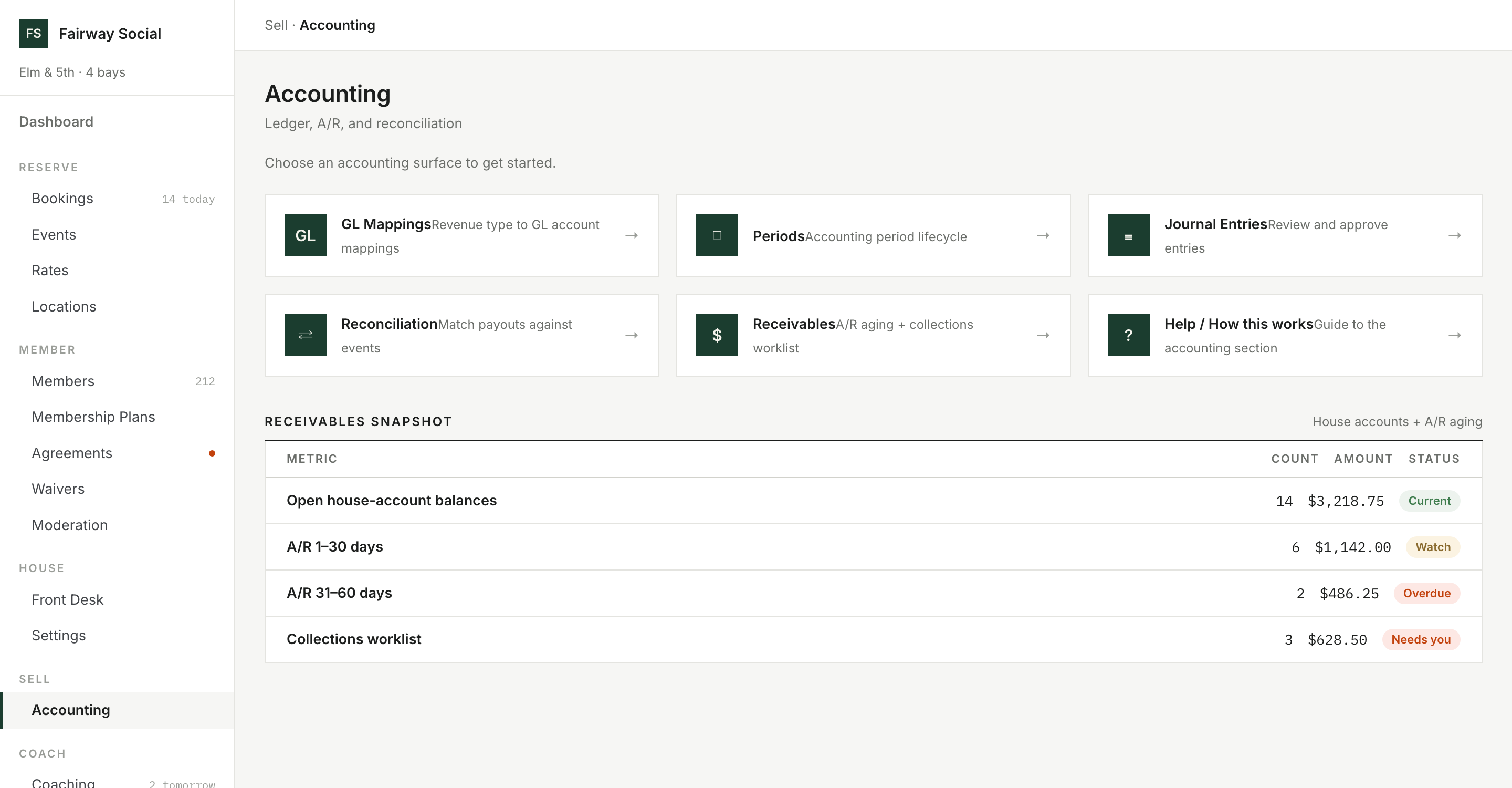
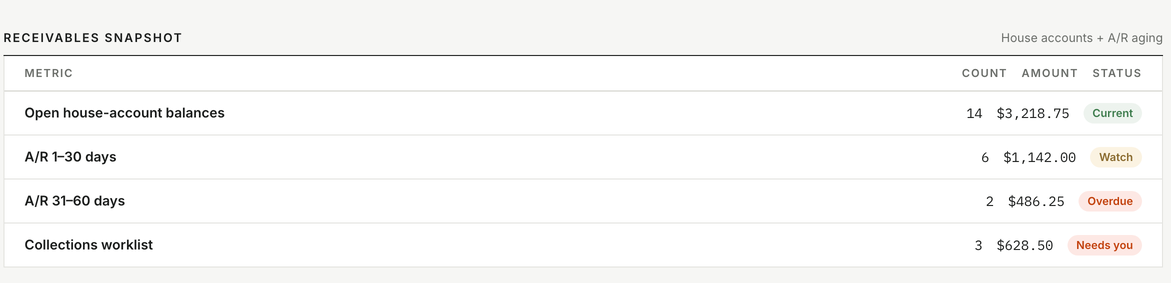
14 open house accounts totalling $3,218.75, aged by days.
House accounts with a credit limit.
Members approved for a house account can charge purchases to it, up to a credit limit you set. Balances are collected by card on your schedule, with a dated statement of charges and payments on demand or by monthly email. A payment can't be credited twice, even if the processor sends it twice.
Balances sit in the same books as your other transactions, with an aging view and a worklist for follow-up. If a member falls behind on their membership, their house account is frozen automatically. You decide what happens next.
What does each member owe?
Every open balance, aged by days, on one screen.
What goes away
The pile of small systems you stop running.
- A spreadsheet of membership tiers plans with set terms
- Renewal dates on a paper wall calendar automatic renewals and reminders
- Cancellations decided by whoever is asked the plan's own policy
- Clipboards of waiver forms digital signing by email, kiosk or embedded form
- Chasing members for a signed membership agreement a worklist of outstanding signatures
- The paper bar tab and month-end settle-up house accounts with scheduled payments
Straight answer
Where membership stops.
Loyalty and points. There are no points, rewards or repeat-visit incentives today. Several vendors offer them. If that matters to you, tell us.
Gift cards and value cards. Not built. Members can hold house credit, but selling stored value to the public works differently, and we won't claim it until it exists.
Automated review requests. The system doesn't ask members for Google reviews after a session. That's a choice more than a gap, but it isn't there.
Nearby