The problem
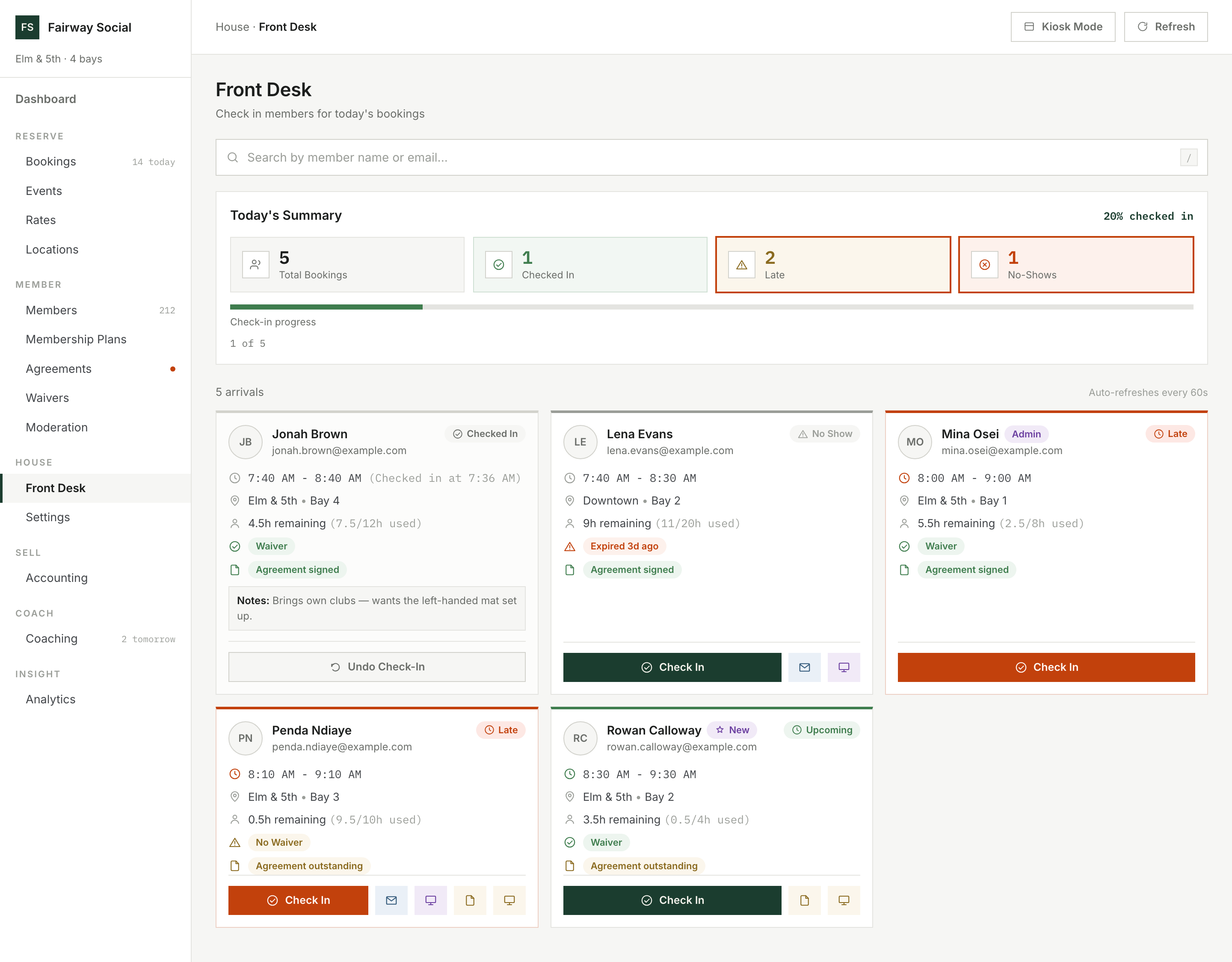
The day starts with a clipboard and ends with a catch-up.
A paper sign-in sheet, a binder of waivers, a keypad code everyone knows, a spreadsheet of which location does what, and a month-end bookkeeping marathon. Each piece works. Together they need a person in the right place at the right time.
How it works — on screen
 Click to enlarge
Swipe · tap for full screen
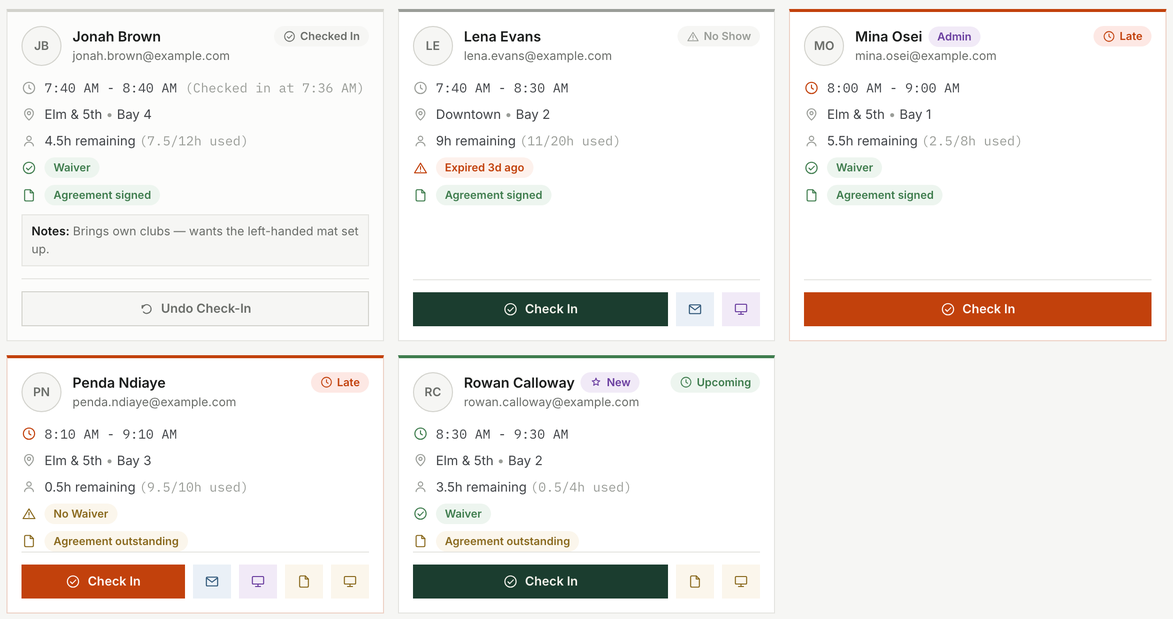
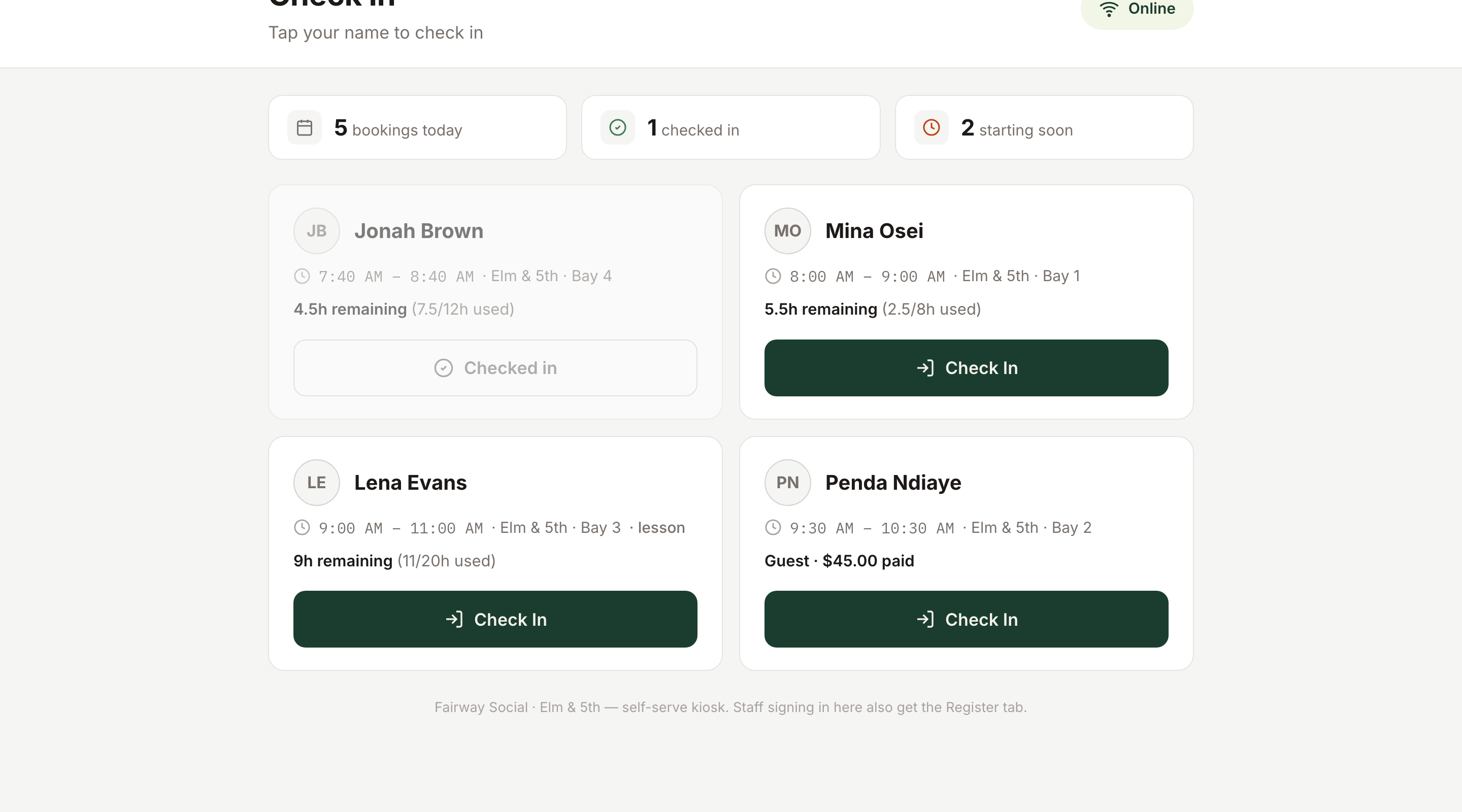
One tap to check in, on the same record the front desk works from.
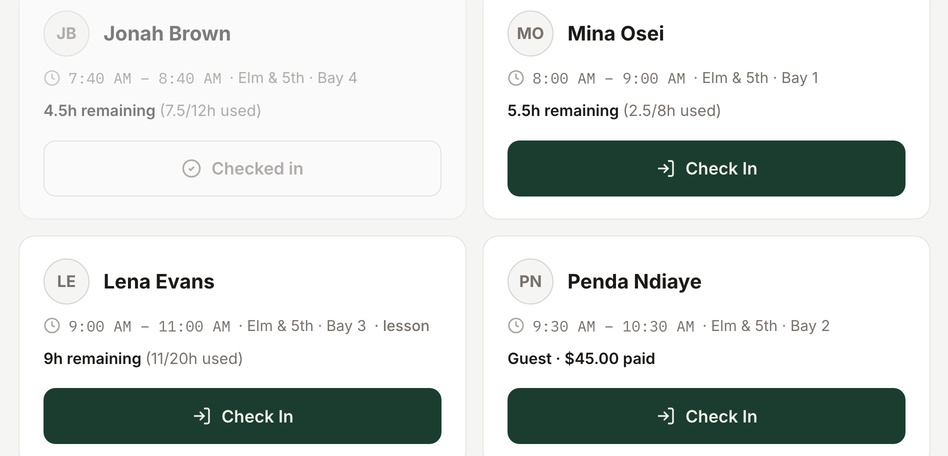
With a kiosk at the door, members check themselves in.
If you put a kiosk at the door, members tap their own name to check in. Staff who sign in at the kiosk also get a Register tab, so a check-in can go straight to a sale.
Where a location allows it, staff can sign up a walk-in at the counter: create the account, choose a plan, and send the paperwork to sign on a kiosk or by email.
Do members need staff to check in?
Not if you have a kiosk: they tap their own name. Without one, staff check people in from the front desk screen, and can undo a check-in.
 Click to enlarge
Swipe · tap for full screen
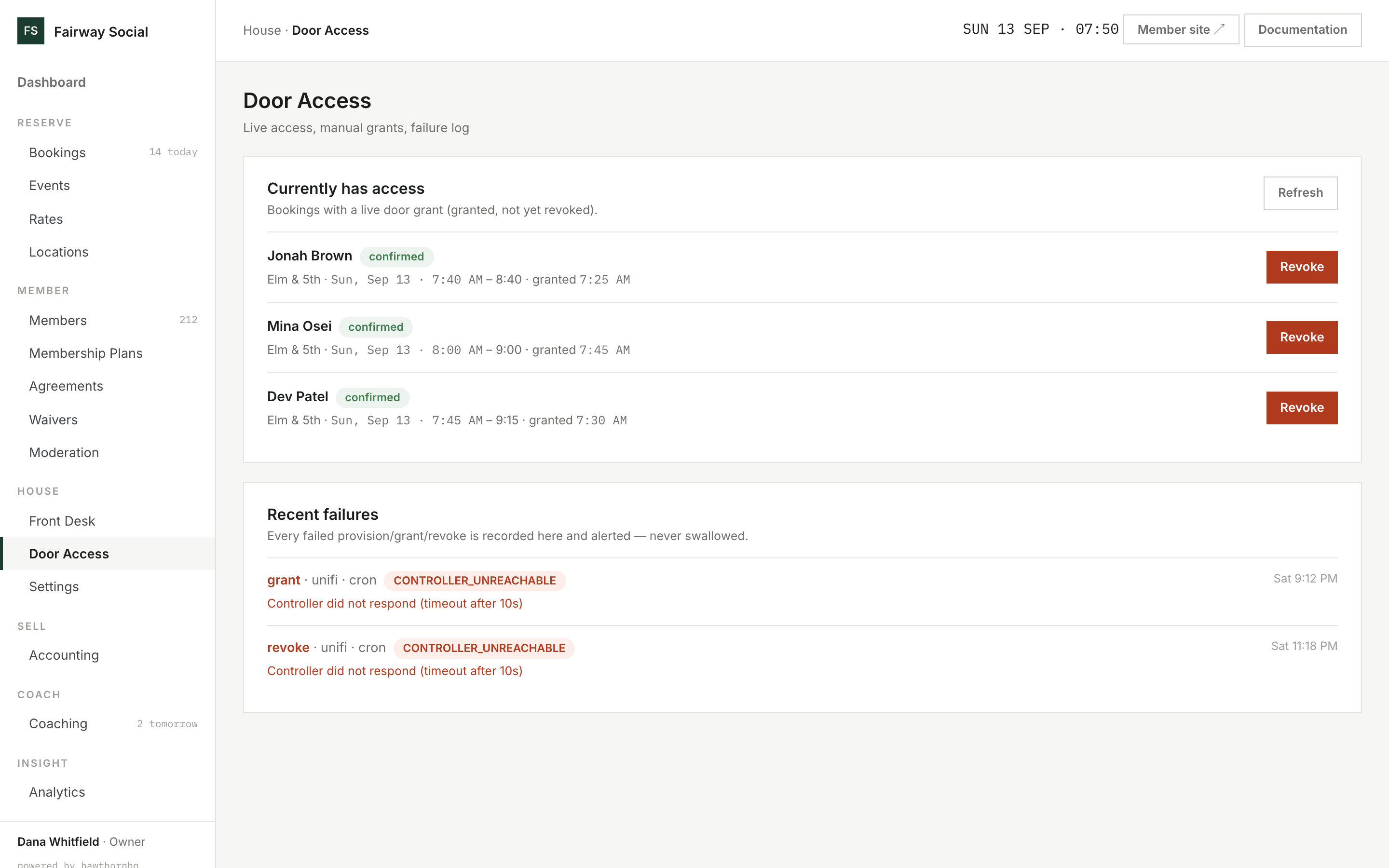
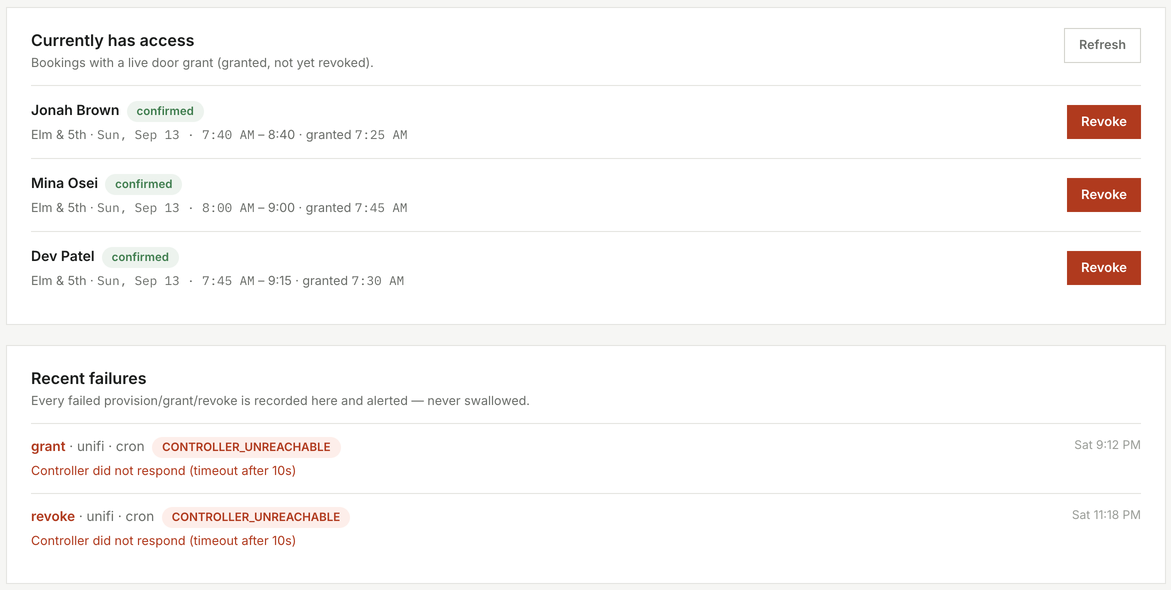
Door access follows the booking, with no shared code.
The door opens for the booking, and closes after it.
Door access follows the booking. It's granted shortly before the start (you choose 15, 30, 45 or 60 minutes, or anytime) and revoked shortly after the end, and when a booking is cancelled or marked a no-show. There's no shared code to leak.
Staff can grant or revoke a booking's access by hand, and the Door Access page lists who has access right now.
What if the door controller is offline?
Every failed grant or revoke is logged, shown on the Door Access page and retried on the next sweep.
 Click to enlarge
Swipe · tap for full screen
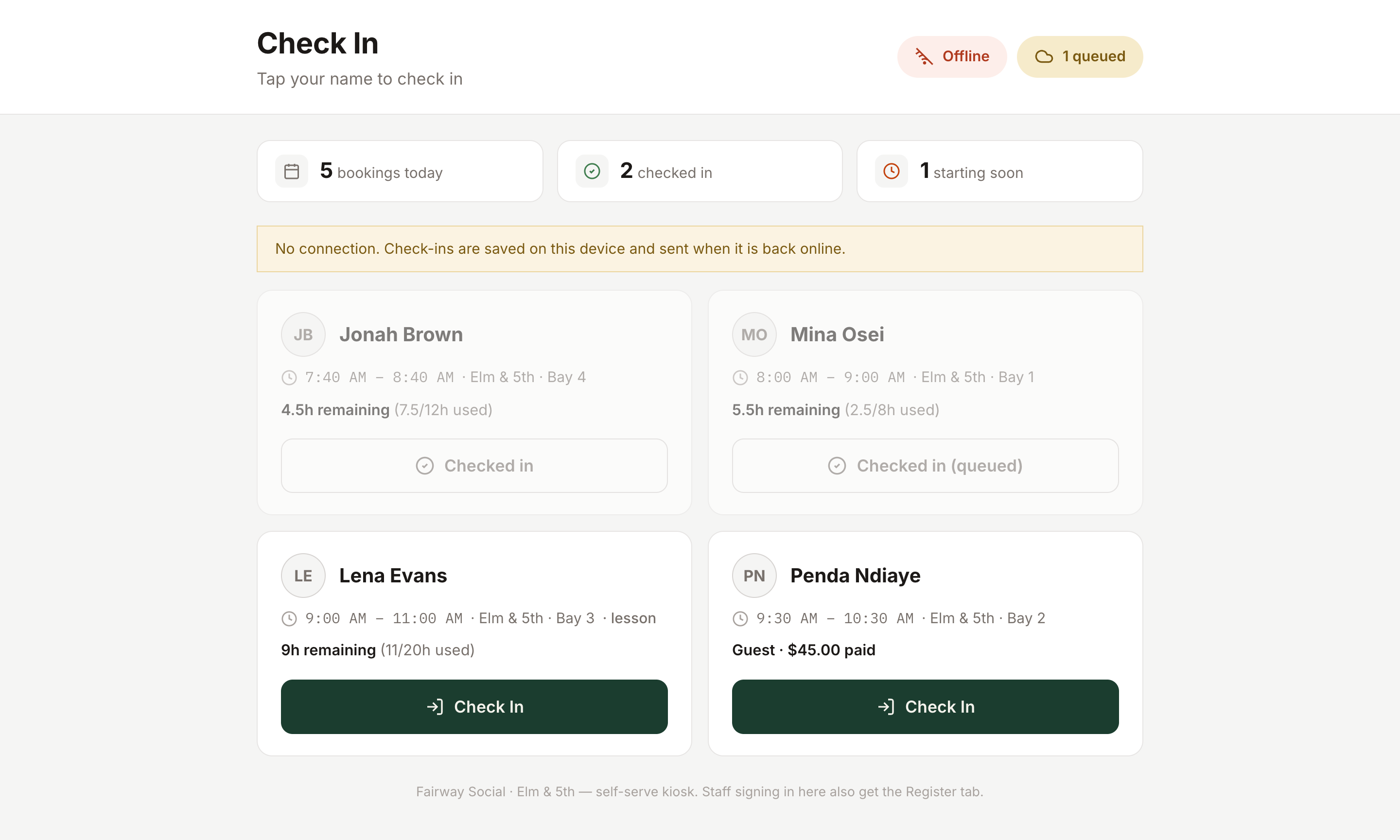
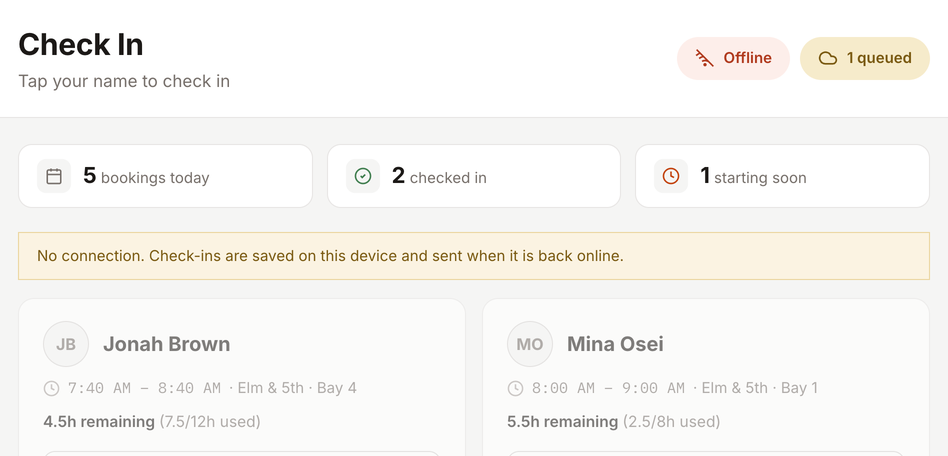
Check-ins, cash sales and waiver signatures wait safely for the connection.
If the internet drops, the desk keeps working.
A kiosk keeps taking check-ins with no connection. They're saved on the device, marked as queued, and sent as soon as it's back online. The till does the same for cash sales, and the waiver kiosk for signatures.
Each queued item can be applied only once, so a retry never double-counts. Anything still waiting after 24 hours is kept aside rather than dropped.
What happens to a check-in made while offline?
It shows as queued on the kiosk and is sent when the connection returns.
 Click to enlarge
Swipe · tap for full screen
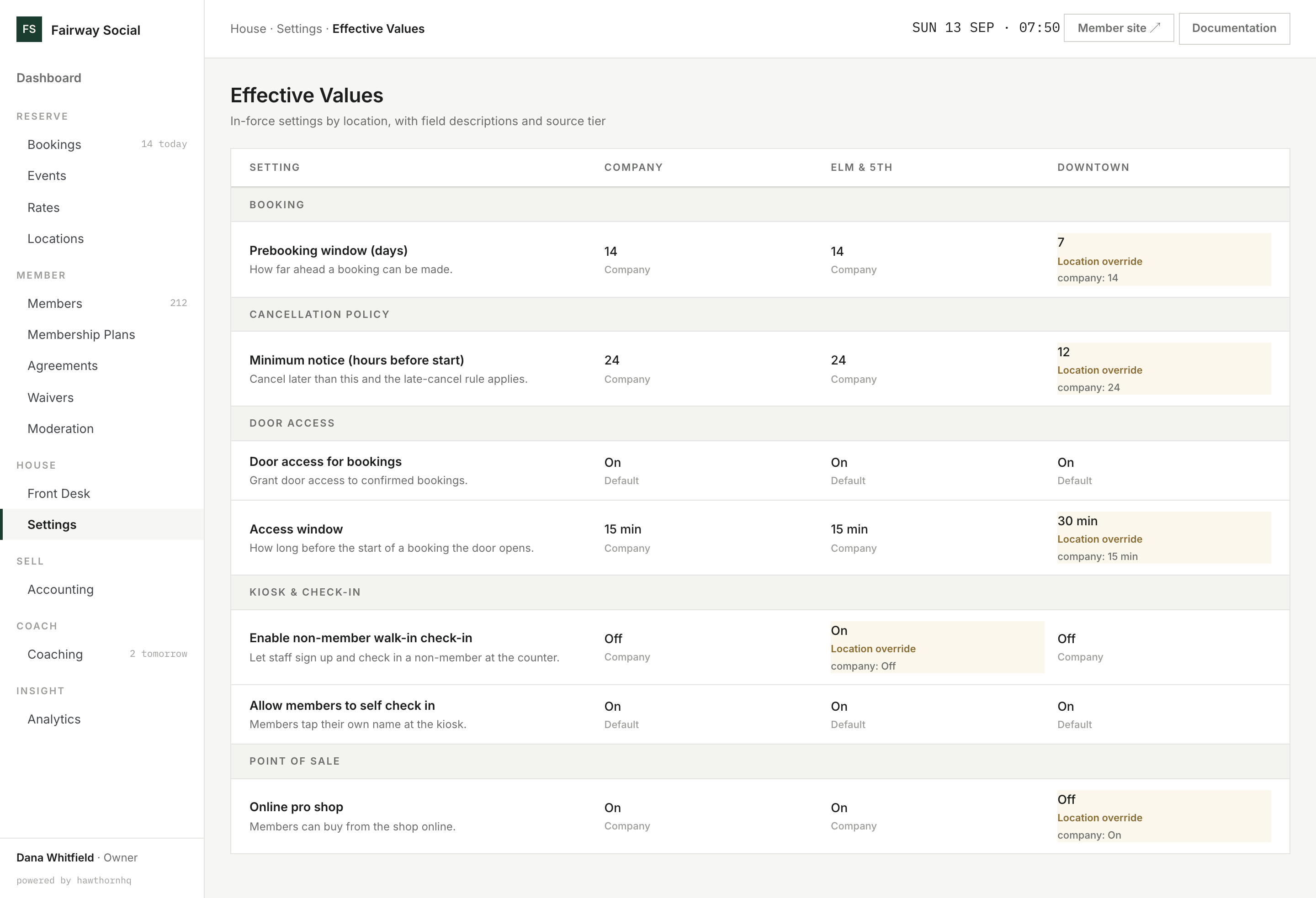
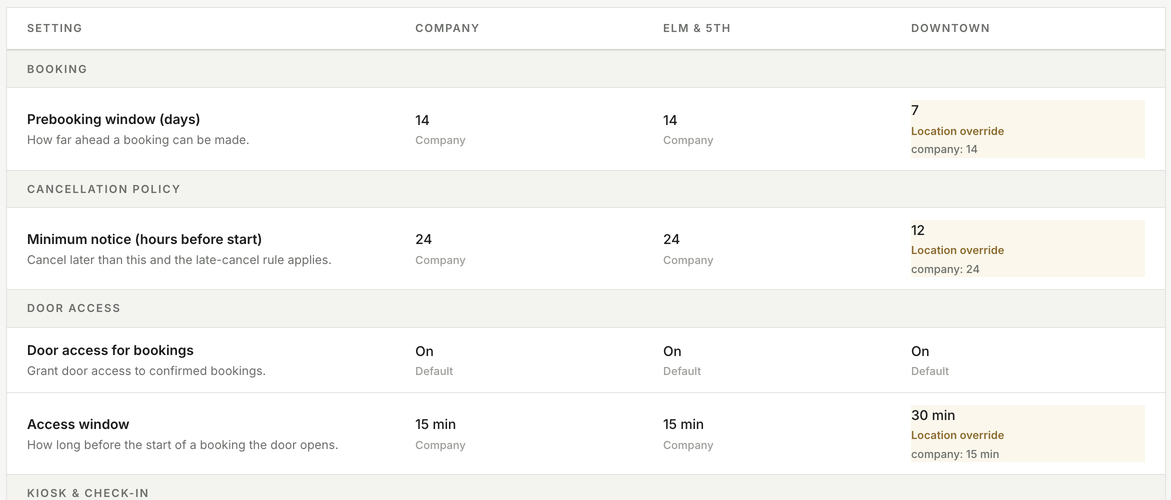
Set once for the company, changed only where a location differs.
One set of rules, overridden where a location differs.
Settings are set once for the company and overridden only where a location differs: the door access window, walk-in sign-up, cancellation notice, the online shop and more. Effective Values puts the company and every location side by side, with each value marked as company, location override or default.
Roles bundle permissions, and a person can hold them at every location or only some. Every administrative action lands in an audit log you can filter by action and record type, and export to CSV.
Why does one location behave differently?
Effective Values shows each setting for every location, marks the ones overridden at the location, and shows the company value beside them.
 Click to enlarge
Swipe · tap for full screen
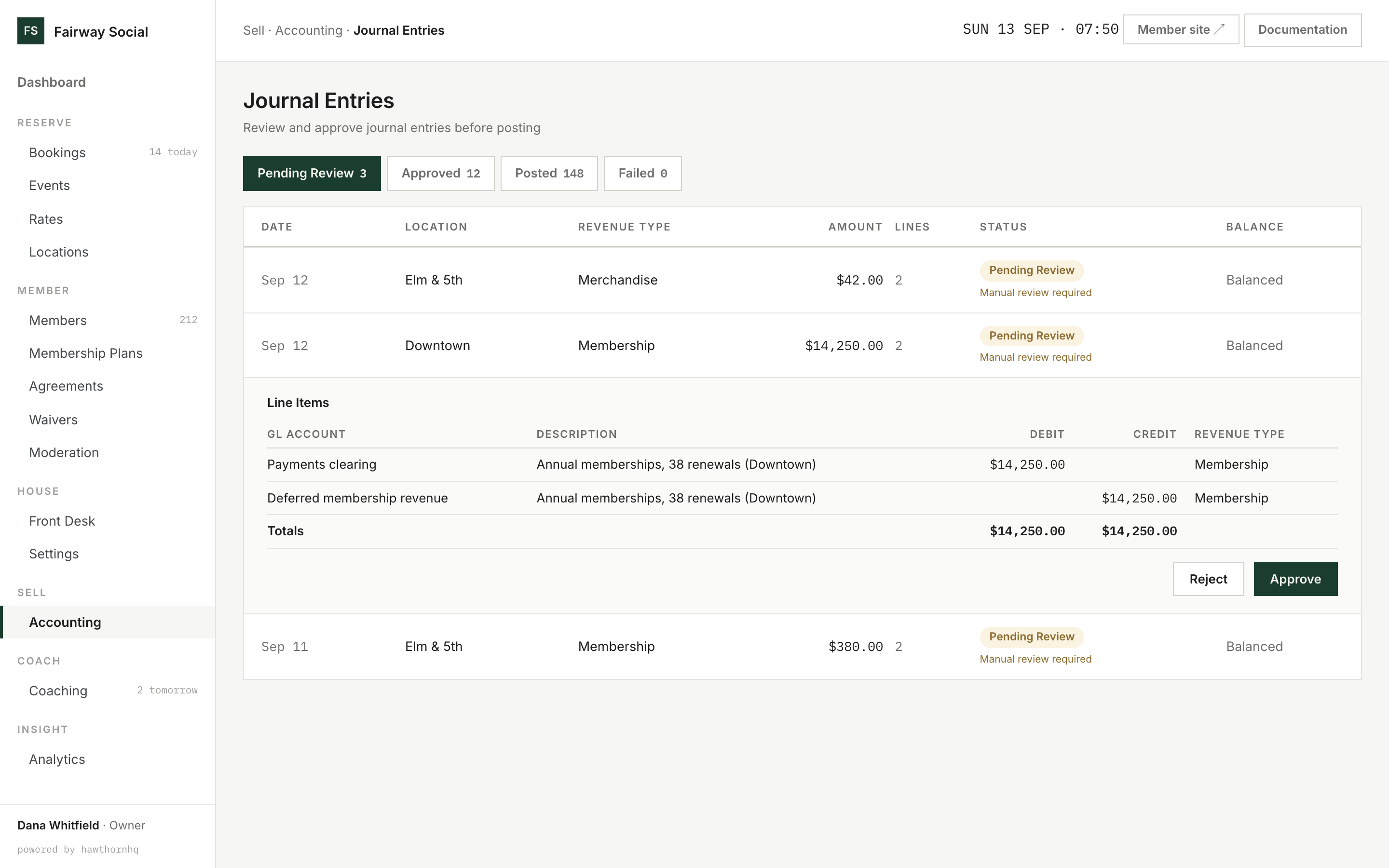
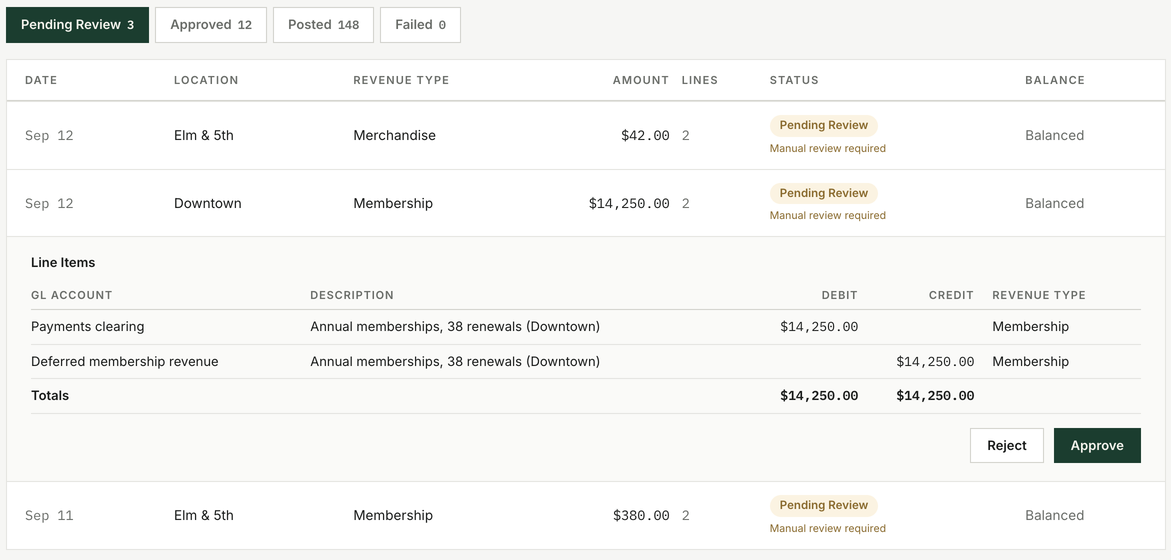
Routine entries post on their own. The unusual ones wait for you.
The books mostly keep themselves.
Every payment, refund and payout is recorded as an event that is never edited; a correction is a new entry. Events roll up into balanced journal entries. Routine ones, up to a limit you set, post automatically. Adjustments, reversals and anything over the limit wait for a person to approve.
At month end you close the period. A late event doesn't change a closed month; it becomes an adjustment in the current one. A locked month can be reopened only by a super admin, and the reopening is logged.
Payouts are matched against the payments and refunds that make them up, and approved entries post to FrontAccounting or QuickBooks Online.
What needs my approval?
Adjustments, reversals, and any entry over your auto-approve limit. Everything else posts on its own.
What goes away
The clipboard, the binder and the shared code.
- The paper sign-in sheet live arrivals
- A binder of signed waivers at the counter checked before arrival
- A keypad code shared with everyone access tied to bookings
- Buzzing someone in from the office grant by hand when needed
- Paper sign-in when the internet is down queued, then synced
- A spreadsheet of which location uses which settings side by side, overrides marked
- The month-end bookkeeping marathon routine entries post themselves
- The bank statement and processor report side by side payouts matched to payments
Nearby
House is one verb of six.
Straight answer
What the house doesn't do yet.
The simulator itself. HawthornHQ controls the door, not the machine: no power, lock or screen control for the simulator PC. If that matters to you, say so.
One door system. Door access works with UniFi today. Other systems aren't wired up.
Two accounting systems. Journals post to FrontAccounting or QuickBooks Online. QuickBooks Online is built and tested against its documented interface, but not yet against a live company. Xero and Wave aren't built.
Offline covers three jobs. Check-ins, cash sales and waiver signatures queue without a connection. Card payments need one.