The problem
Two people booked Bay 3 at seven. One of them finds out at the door.
Most facilities start with one calendar and end up with four: the app, the front-desk laptop, a paper diary "just for tonight", and the group text where staff sort out who has the bay.
No copy is complete. A member who has used up their hours is waved through because the desk can't see the tally. An overage goes uncharged because nobody saw it. Two people turn up for the same bay.
None of it is dramatic. Each one costs a free session, a refund, or a member who doesn't come back.
How it works
 Click to enlarge
Swipe · tap for full screen
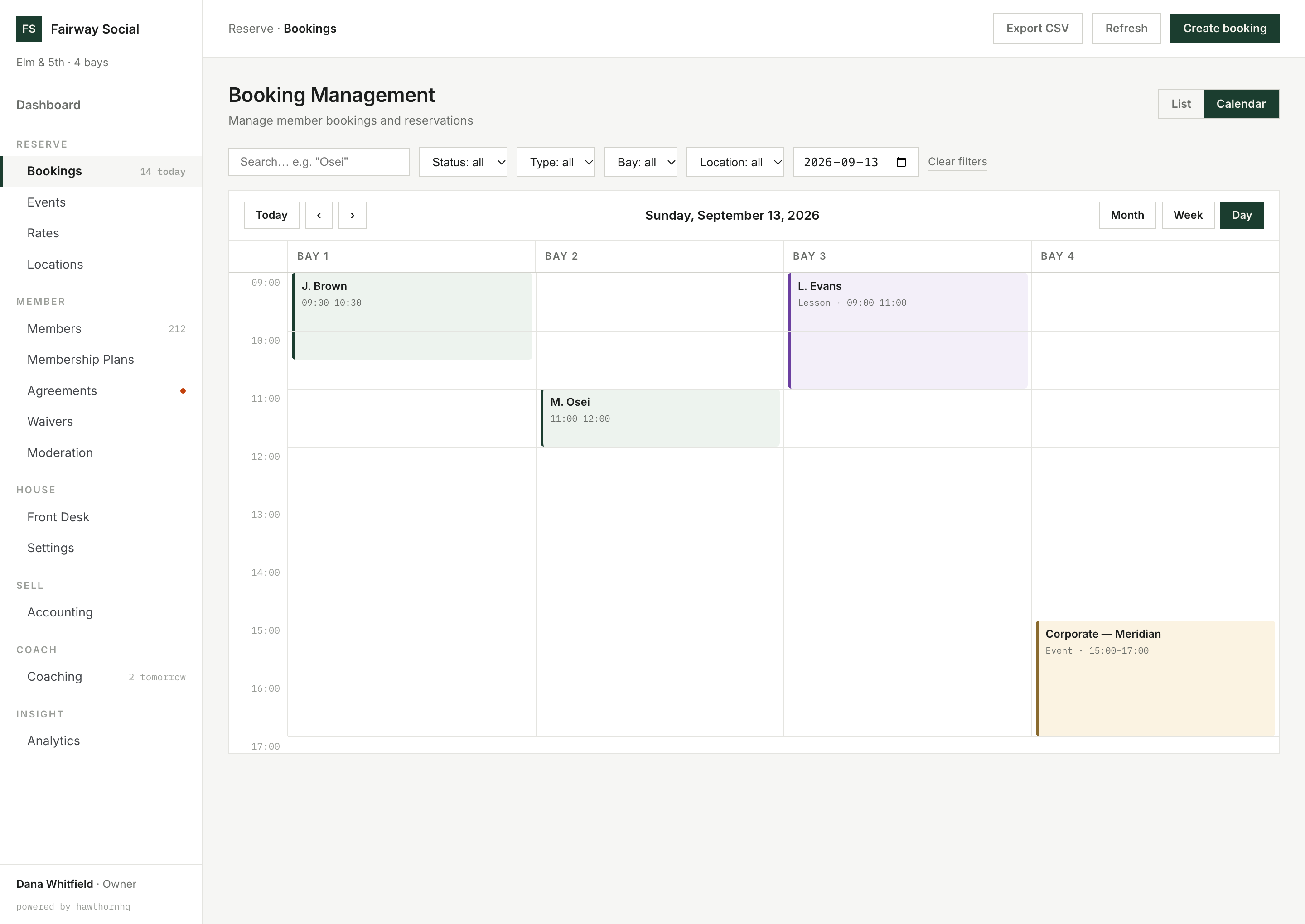
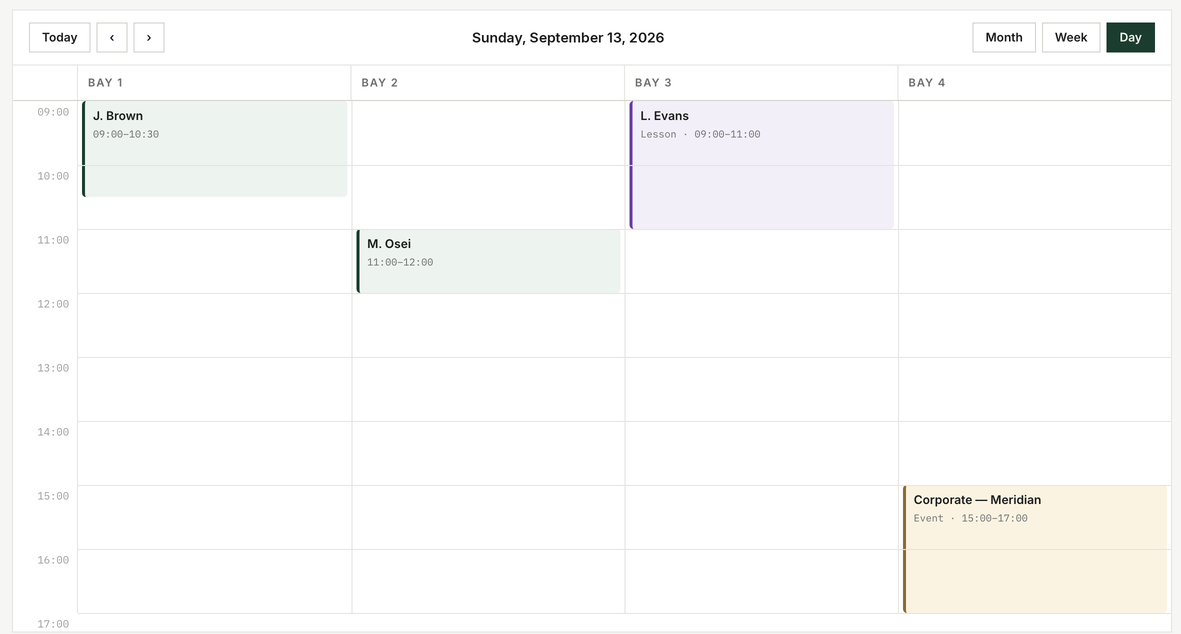
One column per bay. Bay 3 at 09:00 holds Lena Evans and nobody else.
Two people can't book the same bay at the same time.
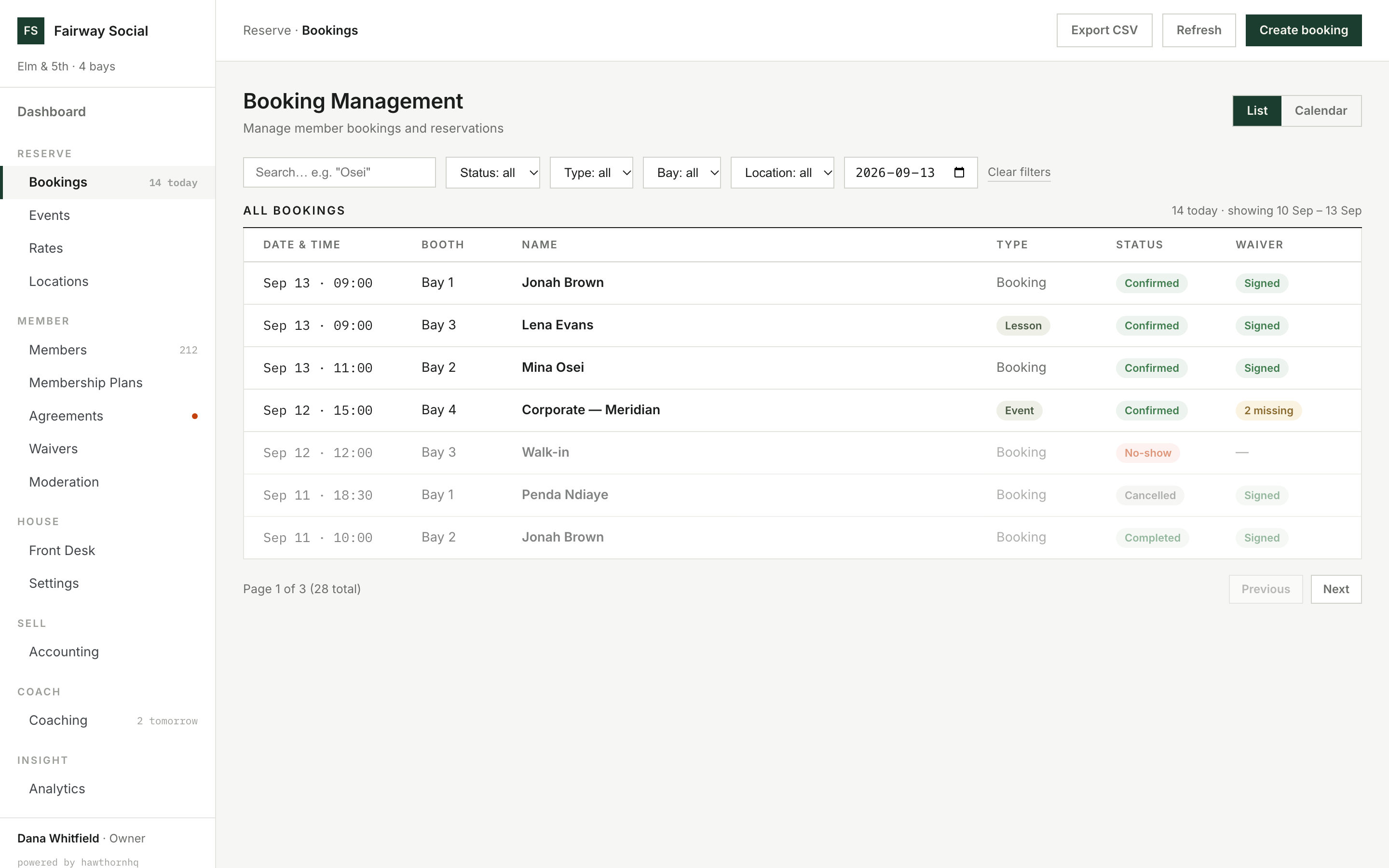
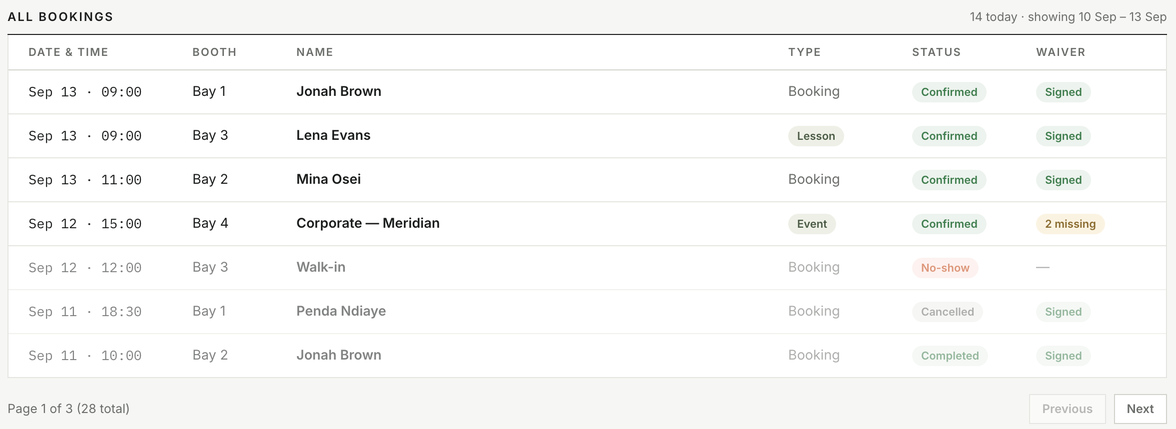
Members book for themselves, and staff book from the same calendar. Every booking is checked against the bay before it's saved, so a bay can't hold two overlapping bookings. If two people go for the same slot at the same moment, one gets it, the other sees a plain message, and the calendar stays clean.
Opening hours are firm: a session that runs past closing, or a day with no hours set, is refused rather than guessed at.
Can a lesson or event land on a bay already booked by a member?
No. Lessons and events book bays like everyone else, so they can't clash with a member.
 Click to enlarge
Swipe · tap for full screen
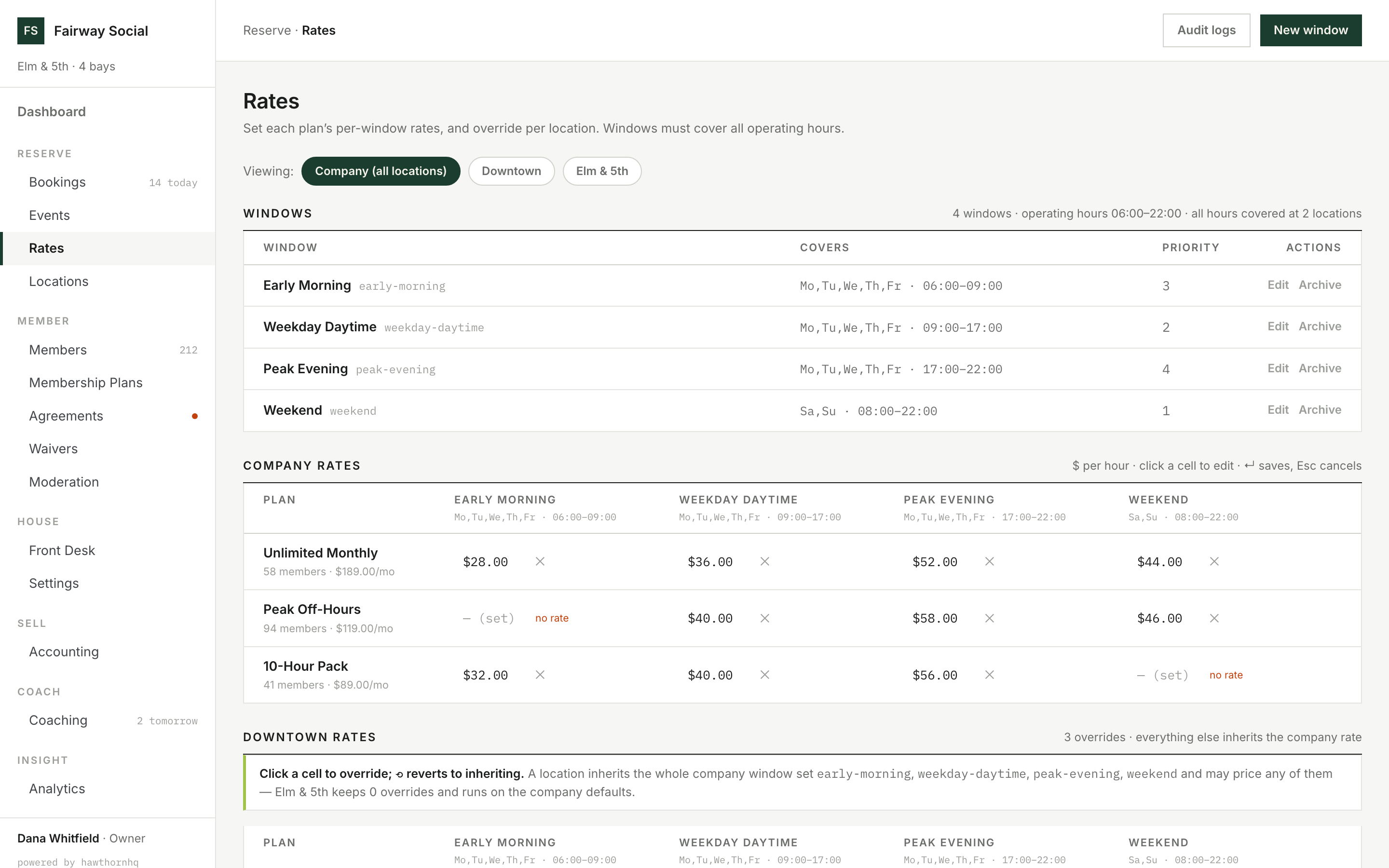
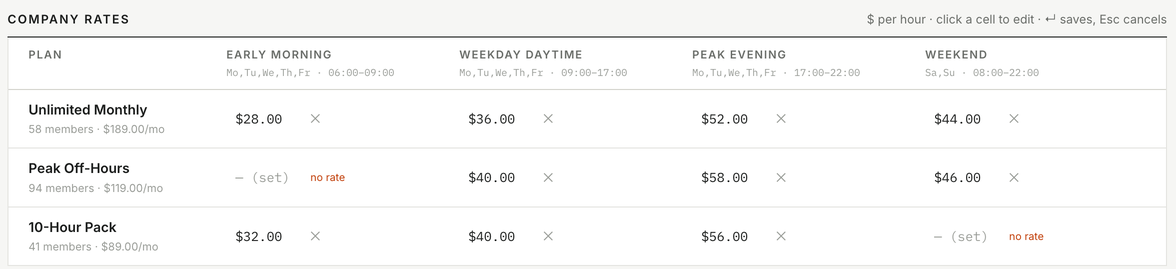
Peak Off-Hours has no Early Morning rate, and the grid says "no rate". Peak Off-Hours members can't book that window until you set one.
One grid sets every price.
A price window is a saved rule: the days, a start and end time, and optionally a date range for a season. Whichever price window covers a slot decides its price, and each membership plan has its own rate in every price window. Enter a price change now with the date it starts, and it takes over that day.
You can't save price windows that leave open hours uncovered, and the system tells you which hours are missing.
How is an hour priced?
By the price window it falls in: peak, off-peak, or any window you define, with a rate for each plan.
 Click to enlarge

Swipe · tap for full screen
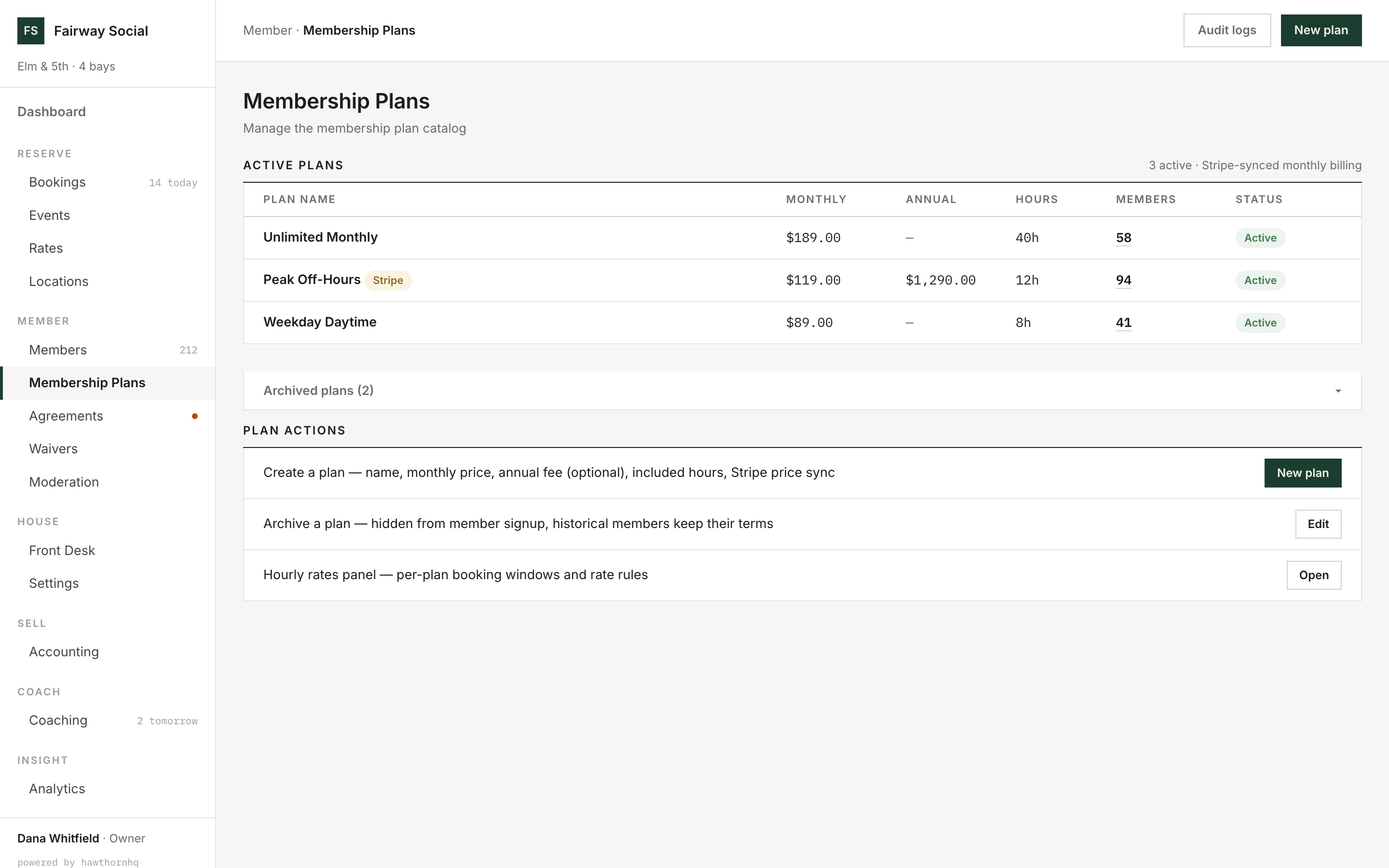
40h, 12h, 8h: the plan sets what a booking can spend and how far ahead it can reach.
Booking rules and included hours live on the plan.
How far ahead a member can reserve is set for each plan, not for the whole club, so a premium plan can open the calendar further than a standard one. The limit applies when the booking is saved, so it holds for staff bookings as firmly as for members.
Included hours and hours used are tracked on the member record, and they draw down to the minute. Time covered by the plan costs nothing. Time beyond it is charged at the member's plan rate.
What happens when a member runs out of included hours?
Time beyond the plan is charged at the member's plan rate.
 Click to enlarge
Swipe · tap for full screen
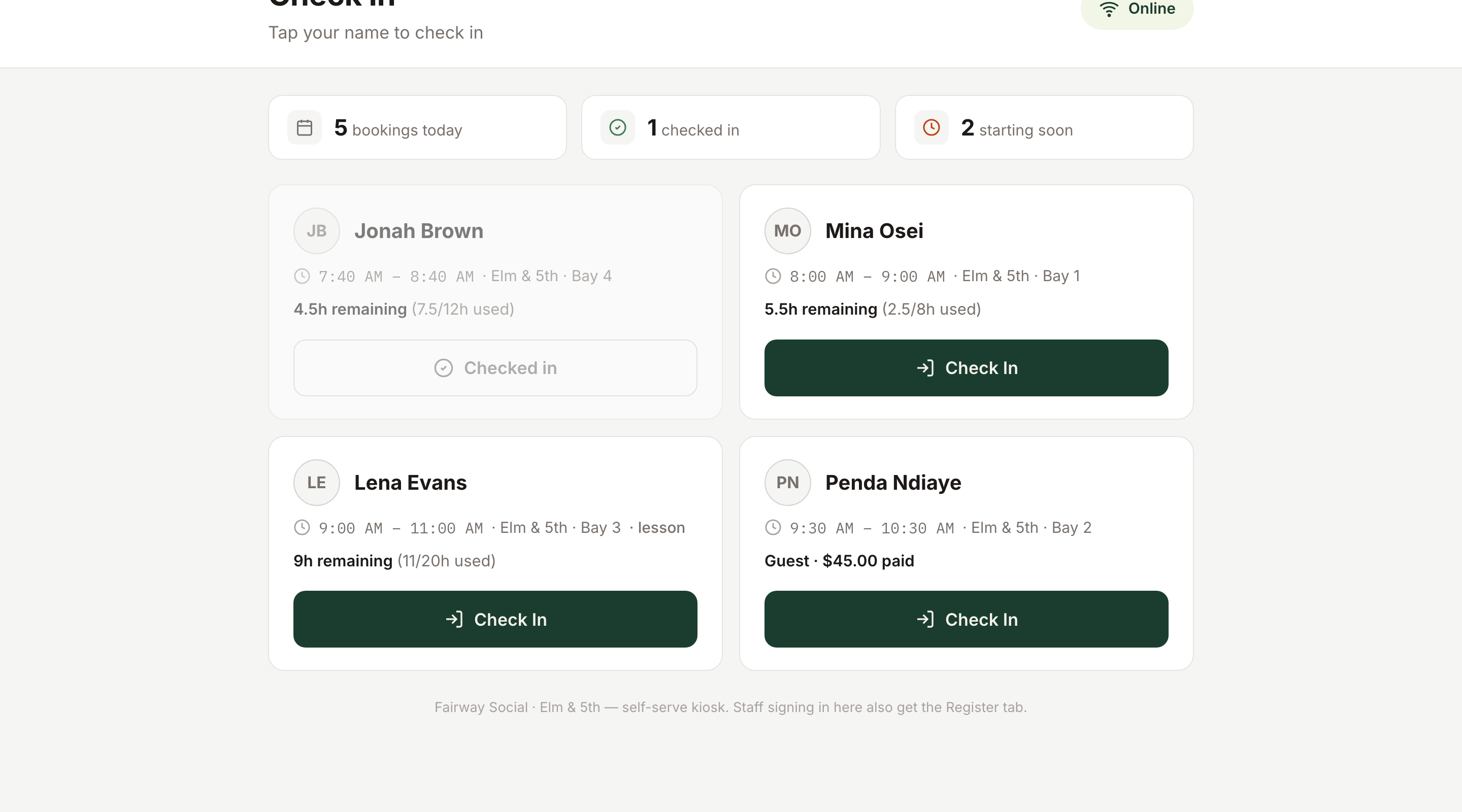
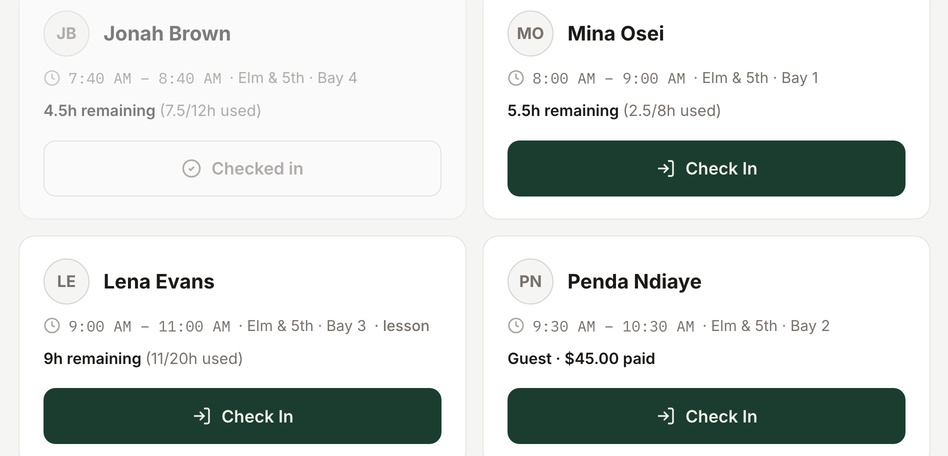
"4.5h remaining (7.5/12h used)": the drawdown, visible at check-in.
Check-in is a tap.
Staff manage the day from the booking list. With a kiosk at the door, members can check themselves in: walk in, tap a name, and they're checked in, with no queue at the desk. On unstaffed hours it's the only screen a member needs.
Each arrival shows the member's remaining hours, so the desk and the member see the same tally. No-shows and cancellations stay in the same record with their status, and a no-show or late cancellation can carry a fee.
If you use door access, it follows the booking: unlocked shortly before the start and closed after the session ends.
How many hours does a member have left?
On the member record, and on the kiosk at check-in.
What goes away
The workarounds you stop maintaining.
- The paper bay diary one calendar
- The double-booking phone call conflicts refused before they save
- The peak and off-peak price spreadsheet price windows
- A running tally of member hours on paper hours drawn down automatically
- Chasing unpaid bay time at the desk overage charged at the plan rate
- The door code shared by every member optional door access tied to bookings
Straight answer
Where reservation stops.
Deposits at booking. You can take full payment or none. There is no hold or partial payment. Several vendors offer deposits as their answer to no-shows. We have no-show and late-cancellation fees instead. If a hold at booking matters to you, tell us.
Split payment. A group booking has one designated payer today. Splitting a bill evenly, or letting each guest pay their own share, isn't available.
Buffer times. There is no automatic turnaround gap between bookings. The schedule enforces whatever intervals you book.
Recurring personal bookings. A member can't set up a standing "every Tuesday, my bay" booking. Each booking is made one session at a time.
Nearby